Skip to content

Fill PDF forms online

Complete fillable PDF forms, type on forms that aren't fillable, sign and download.

  • Runs in your browser
  • Free, no sign-up
  • No watermark

Quick answer

How to fill out a PDF form?

To fill a PDF form, open it in PDFella. Fillable fields are listed in the Form fields panel, where you type answers, tick checkboxes and choose dropdown options. For non-fillable forms use Add text. Sign with Sign, then click Save changes and Download PDF.

Updated 5 October 2026 by the PDFella team

Key facts

Price
Free
Account
Not required
Processing
In your browser. Files aren't uploaded
Input
PDF
Output
PDF
Max file size
100 MB
Works on
Windows, macOS, Linux, iPhone, Android
Watermark
None

Step by step

How to fill out a PDF form

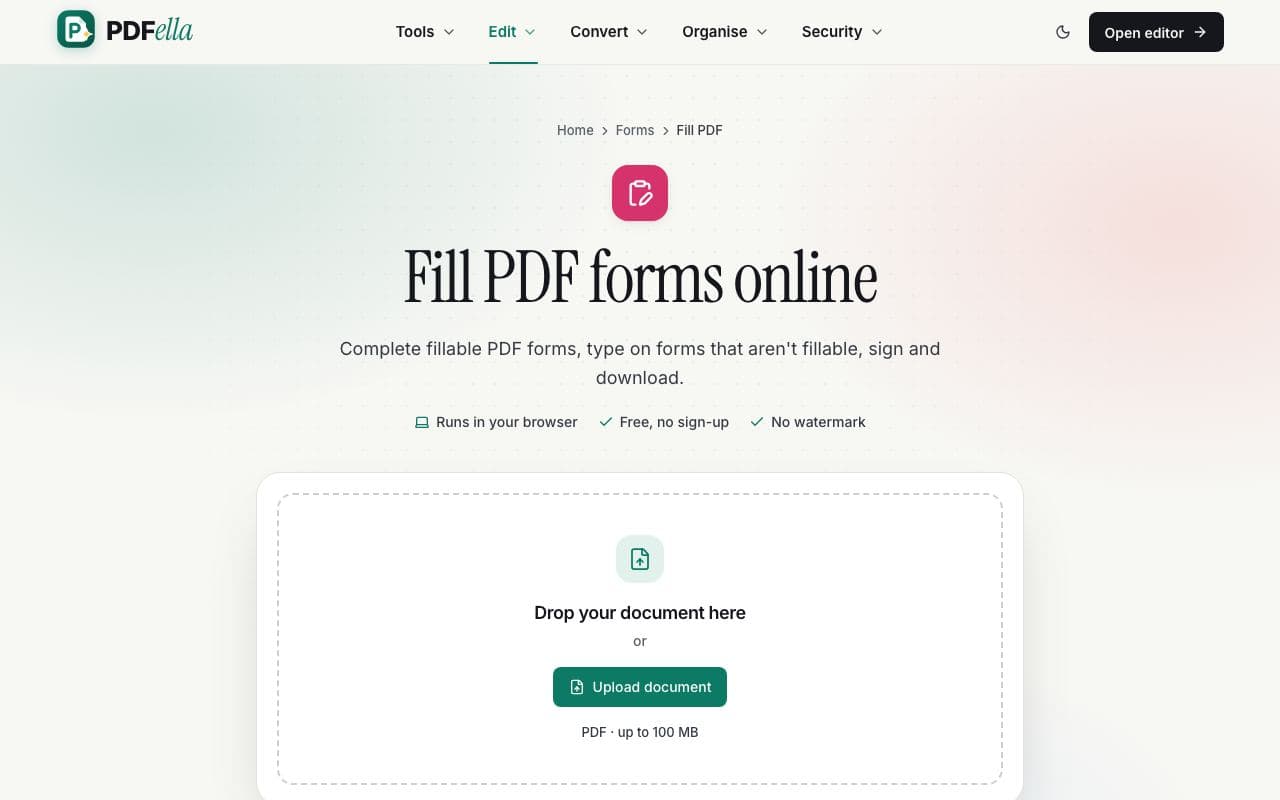
  1. 1

    Upload your form

    Drop the PDF form onto the upload area. It opens in the editor.

    How to fill out a PDF form: step 1, upload your form in PDFella
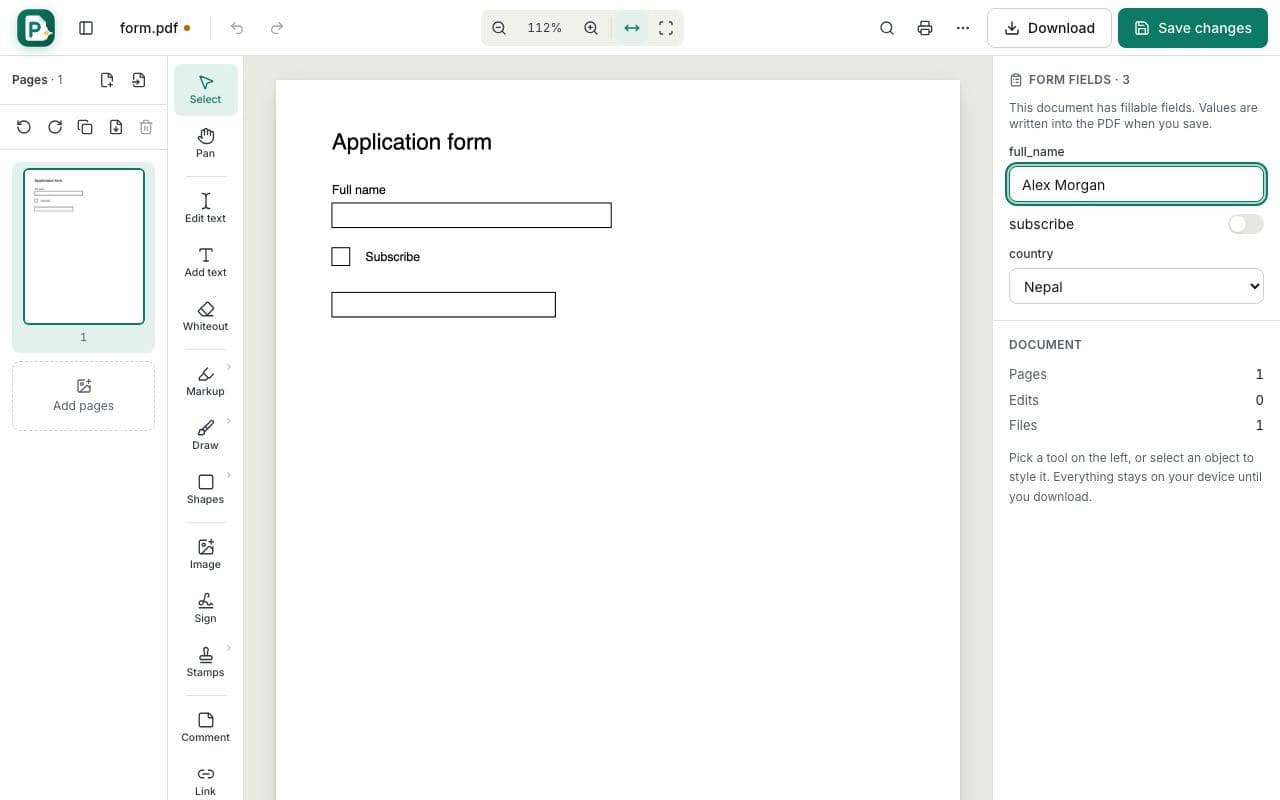
  2. 2

    Fill in the fields

    Fillable fields appear in the Form fields panel on the right. Type answers, tick boxes and pick options. For forms without fields, choose Add text and click on each line.

    How to fill out a PDF form: step 2, fill in the fields in PDFella
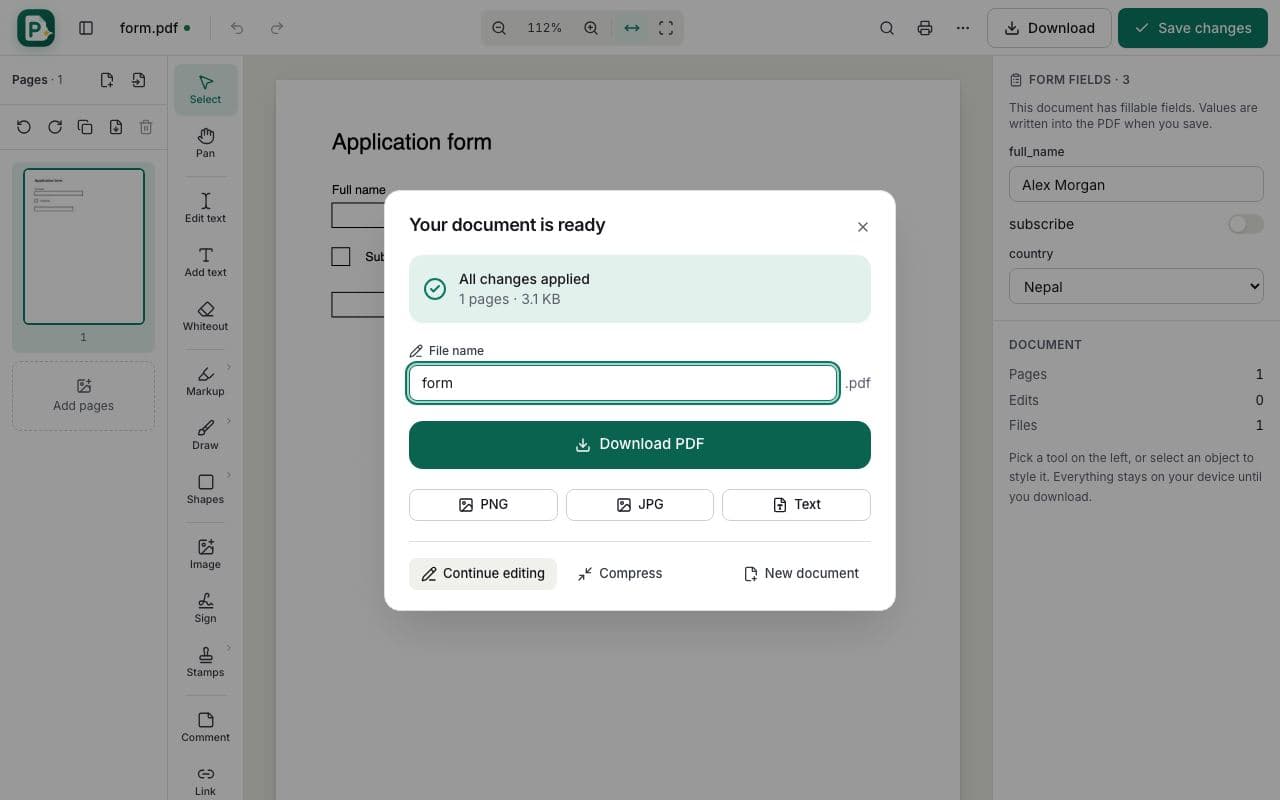
  3. 3

    Sign and save

    Add your signature with Sign. When saving, optionally flatten the form so answers can't be changed, then download.

    How to fill out a PDF form: step 3, sign and save in PDFella

Why PDFella

Fill PDF, done right

  • Detects fields

    Text fields, checkboxes, radio buttons and dropdowns.

  • Non-fillable forms too

    Type anywhere with Add text.

  • Sign in place

    Add a typed, drawn or uploaded signature.

  • Runs in your browser

    Your PDF never leaves your device.

Fillable vs. non-fillable PDF forms

Fillable forms contain interactive fields that PDFella lists in the Form fields panel. Many forms are simply scanned or flat PDFs with lines to write on: for those, use Add text and place your answers on the lines, nudging with the arrow keys for precise alignment.

Who uses Fill PDF?

  • Applicants

    Complete visa, job and university applications.

  • Tenants

    Fill and sign rental forms.

  • Patients

    Complete registration forms before an appointment.

FAQ

Fill PDF: frequently asked questions

Still stuck? Email support@pdfella.example.

How do I fill out a PDF form for free?

Open it in PDFella, complete the fields in the Form fields panel (or use Add text), then save and download.

What if the form isn't fillable?

Use Add text to type on any line or box.

Can I sign the form?

Yes. Use Sign to add your signature.

Is my form uploaded?

No. Filling happens in your browser.

Will my answers show in other PDF readers?

Yes. Values are written into the form fields.

Is it free?

Yes, with no account.

Ready to fill out a PDF form?

Free, private and done in seconds. No account needed.

Start now