Skip to content

Add page numbers to a PDF

Number your pages in any corner with formats like “1”, “Page 1” or “Page 1 of 10”.

  • Runs in your browser
  • Free, no sign-up
  • No watermark

Quick answer

How to add page numbers to a PDF?

To add page numbers to a PDF, open PDFella's Add Page Numbers tool, upload the file, pick a position (for example bottom centre), choose a format such as Page 1 of 10, set the starting number and click Add page numbers. Download the numbered PDF.

Updated 5 October 2026 by the PDFella team

Key facts

Price
Free
Account
Not required
Processing
In your browser. Files aren't uploaded
Input
PDF
Output
PDF
Max file size
100 MB
Works on
Windows, macOS, Linux, iPhone, Android
Watermark
None

Step by step

How to add page numbers to a PDF

  1. 1

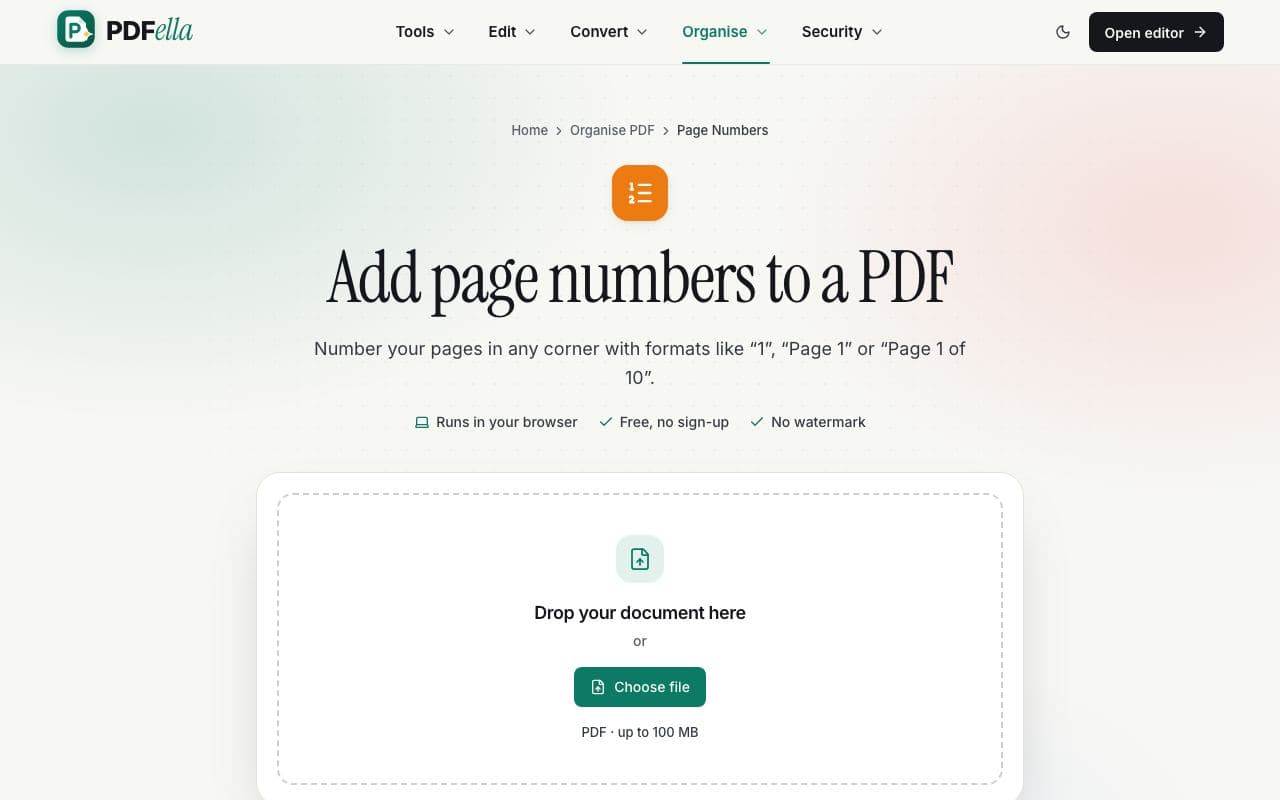
    Upload your PDF

    Drag your PDF onto the upload area or click Choose file. It opens in your browser straight away. Nothing is uploaded to a server.

    How to add page numbers to a PDF: step 1, upload your pdf in PDFella
  2. 2

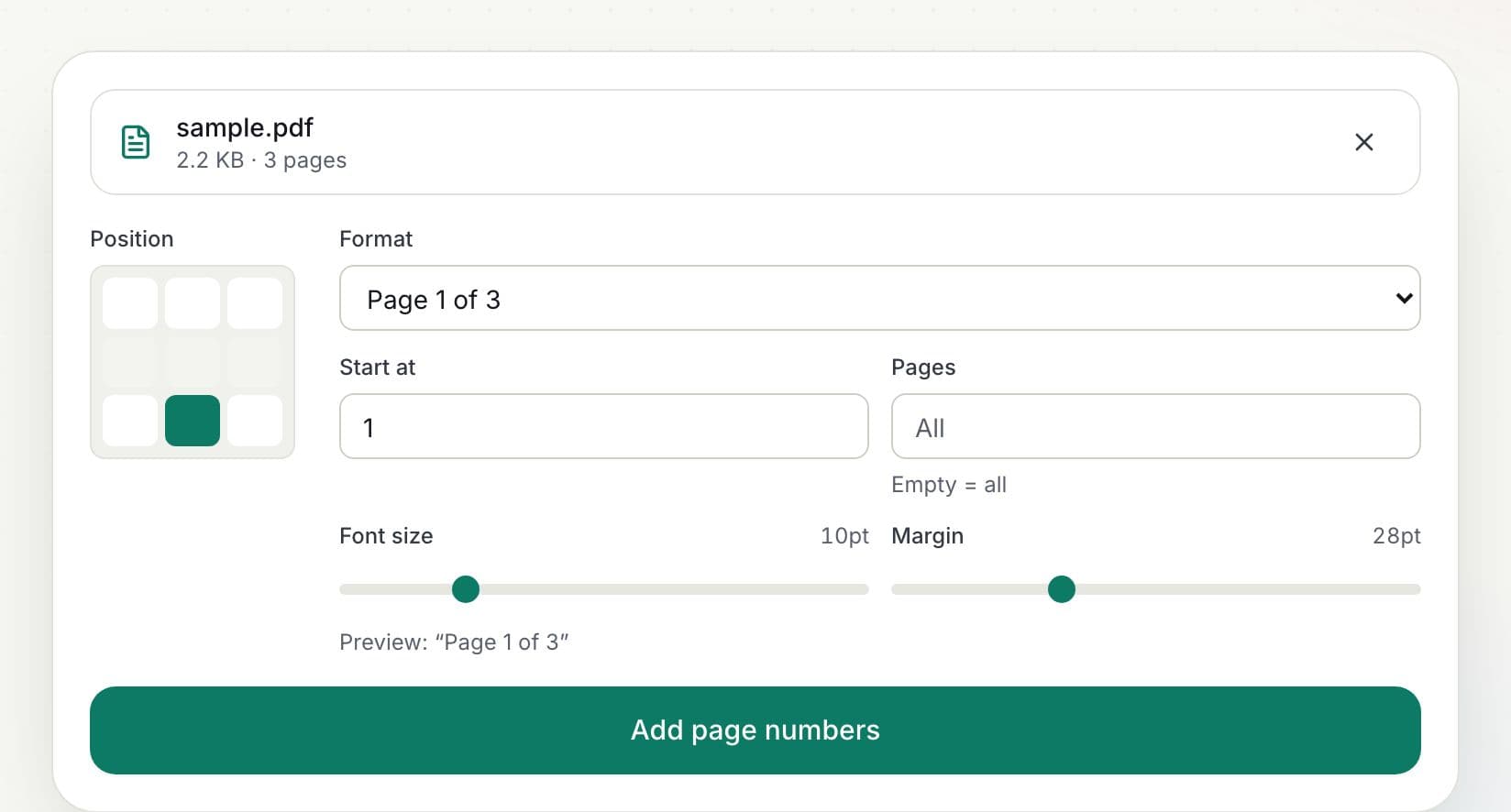
    Choose position and format

    Click one of six positions (top or bottom; left, centre or right), pick a format, set the start number, font size and margin, and optionally limit numbering to a page range. A live preview shows the result.

    How to add page numbers to a PDF: step 2, choose position and format in PDFella
  3. 3

    Click Add page numbers

    Numbers are written into the PDF as real text, upright even on rotated pages.

  4. 4

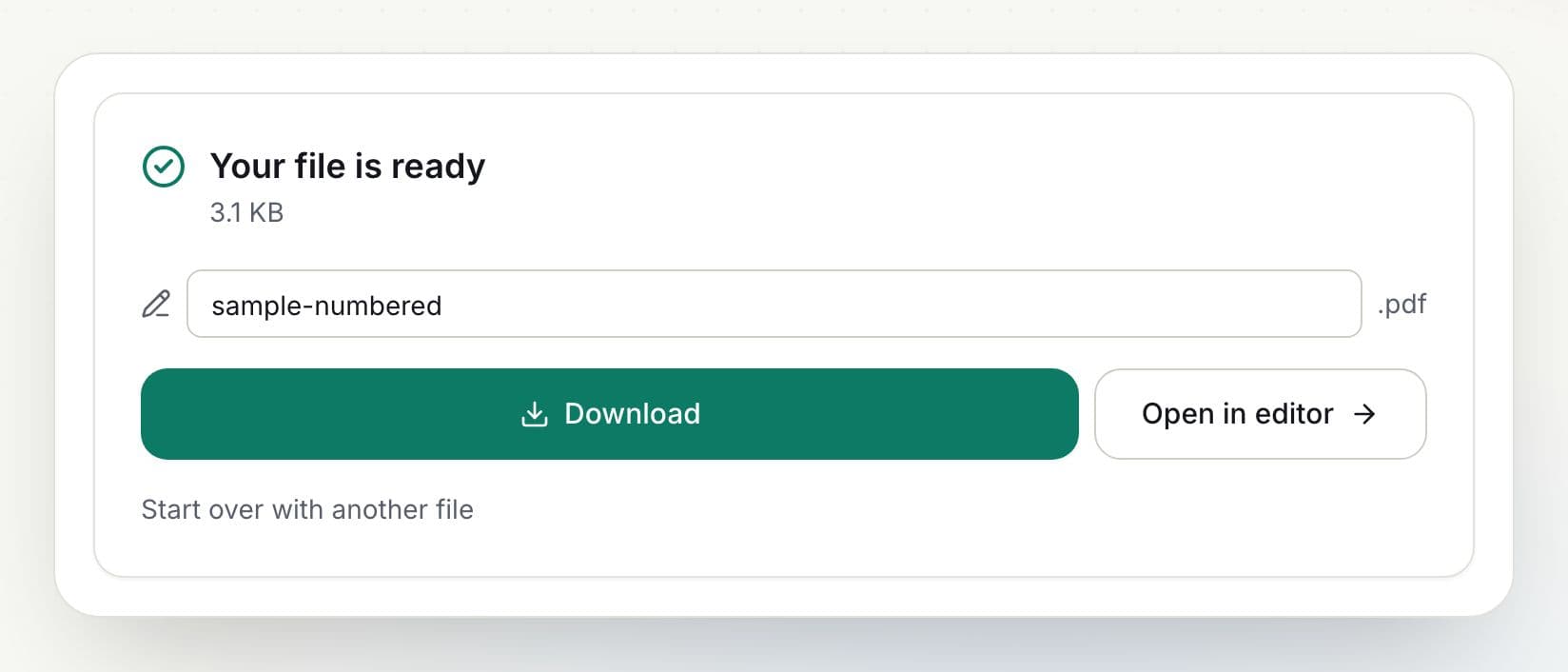
    Download the result

    Rename the file if you like and click Download. You can also open the result in the editor to keep working on it.

    How to add page numbers to a PDF: step 4, download the result in PDFella

Why PDFella

Page Numbers, done right

  • Five formats

    1, Page 1, Page 1 of N, 1 / N and - 1 -.

  • Any start number

    Start at 0, 1 or any number, e.g. to continue another document.

  • Page ranges

    Skip the cover page by numbering only a range.

  • Runs in your browser

    Your files never leave your device, which keeps confidential documents private and makes processing fast.

Numbering everything except the cover

Enter a range such as 2- in the Pages box to skip the first page, and set Start at to 1 so numbering begins at 1 on the second page.

Who uses Page Numbers?

  • Students

    Number theses and dissertations.

  • Lawyers

    Paginate court bundles and exhibits.

  • Businesses

    Number reports and proposals.

FAQ

Page Numbers: frequently asked questions

Still stuck? Email support@pdfella.example.

How do I add Page 1 of 10 numbering?

Choose the “Page 1 of N” format before clicking Add page numbers.

Can I skip the first page?

Yes. Enter a page range such as 2- and set the start number.

Where can I place the numbers?

Top or bottom; left, centre or right.

Is my file uploaded?

No. Numbering happens in your browser.

Is it free?

Yes, with no account.

Do numbers appear correctly on rotated pages?

Yes. Numbers are placed upright relative to how each page is displayed.

Ready to add page numbers to a PDF?

Free, private and done in seconds. No account needed.

Start now