Skip to content

Unlock PDF

Remove printing, copying and editing restrictions automatically, or remove the open password you know.

  • Runs in your browser
  • Free, no sign-up
  • No watermark

Quick answer

How to unlock a PDF?

To unlock a PDF, open PDFella's Unlock PDF tool and upload the file. Restrictions on printing, copying and editing are removed automatically. If the PDF needs a password to open, enter it once. Download the unlocked PDF, which no longer asks for a password.

Updated 5 October 2026 by the PDFella team

Key facts

Price
Free
Account
Not required
Processing
In your browser. Files aren't uploaded
Input
PDF
Output
PDF
Max file size
100 MB
Works on
Windows, macOS, Linux, iPhone, Android
Watermark
None

Step by step

How to unlock a PDF

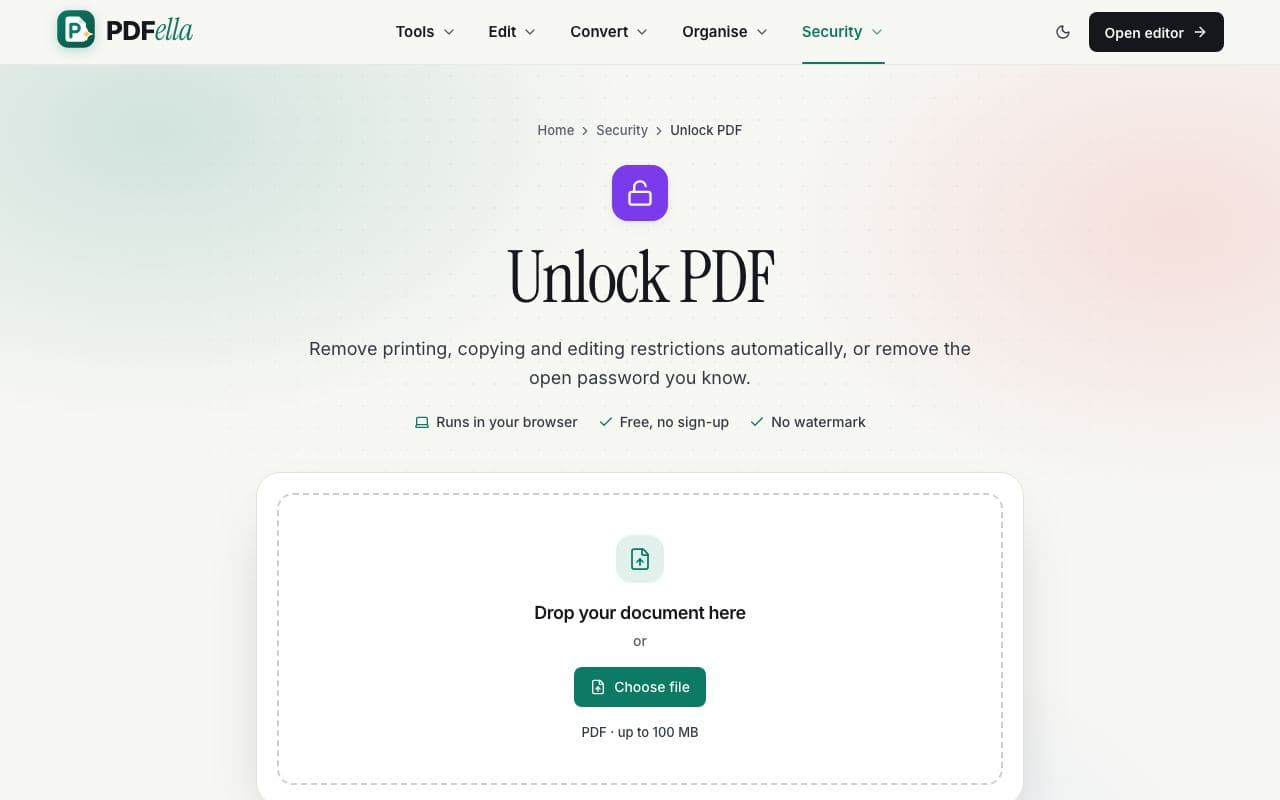
  1. 1

    Upload your PDF

    Drag your PDF onto the upload area or click Choose file. It's opened in your browser. Nothing is uploaded.

    How to unlock a PDF: step 1, upload your pdf in PDFella
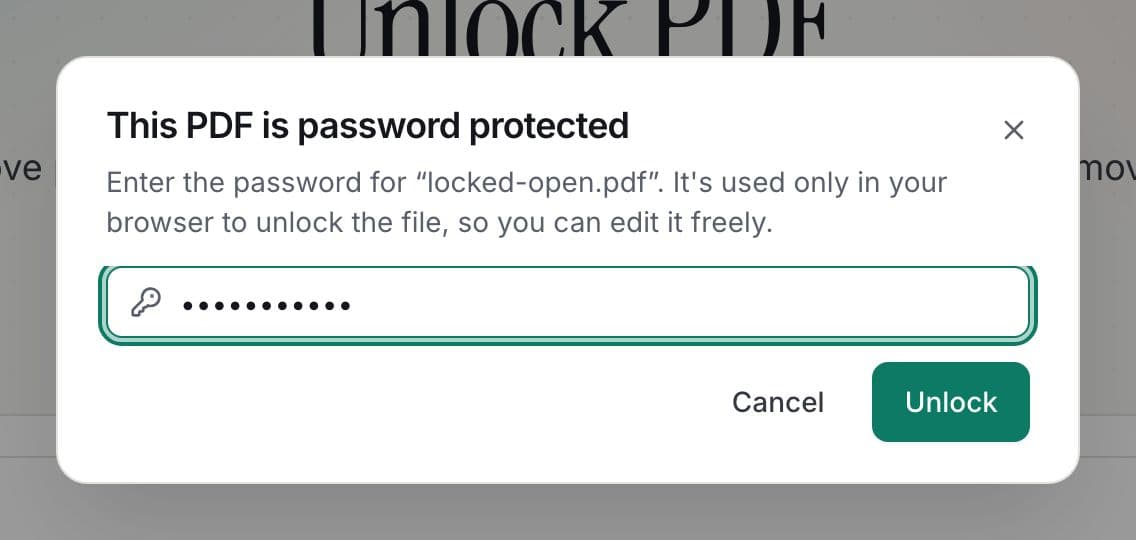
  2. 2

    Enter the password if asked

    Restriction-only PDFs unlock instantly. If the file needs a password to open, a prompt asks for it once.

    How to unlock a PDF: step 2, enter the password if asked in PDFella
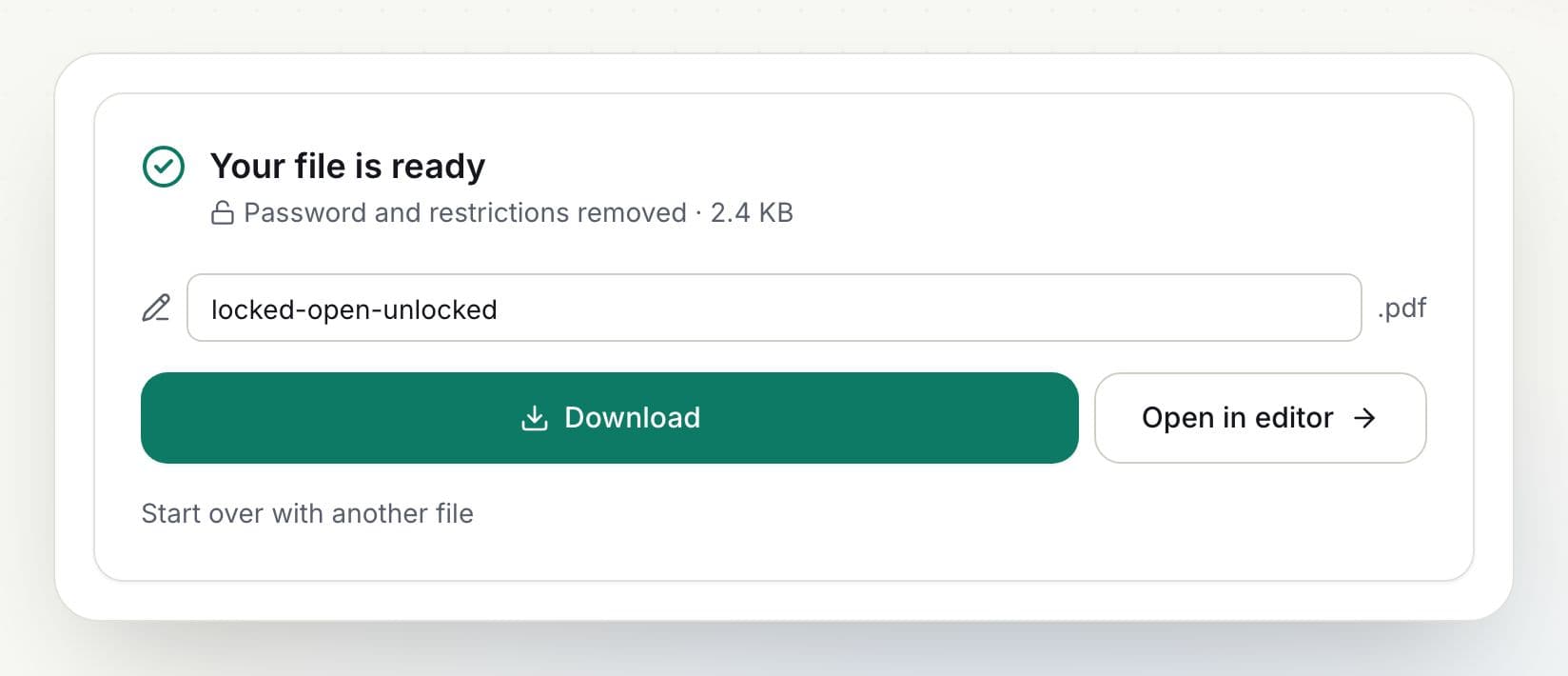
  3. 3

    Download the result

    Rename the file if you like and click Download, or open it in the editor to keep working.

    How to unlock a PDF: step 3, download the result in PDFella

Why PDFella

Unlock PDF, done right

  • Restrictions removed

    Print, copy and edit freely.

  • Password removed

    No more prompts every time you open it.

  • Runs in your browser

    Your PDF never leaves your device.

  • Free, no account

    No sign-up, no watermark.

Two kinds of PDF passwords

An owner (permissions) password restricts what you can do with a PDF you can already open, such as printing or copying. An open (user) password is needed to view the PDF at all. PDFella removes permission restrictions automatically and removes an open password when you provide it.

Can you unlock a PDF without the password?

If a PDF needs a password to open, it's encrypted with that password, and it can't be unlocked without it. Only unlock documents you own or have permission to use.

Who uses Unlock PDF?

  • Employees

    Print a restricted statement or policy.

  • Accountants

    Open client PDFs without re-entering passwords.

  • Students

    Copy quotes from restricted readings for citations.

FAQ

Unlock PDF: frequently asked questions

Still stuck? Email support@pdfella.example.

How do I remove a password from a PDF?

Upload it to Unlock PDF and enter the password once. Download the unlocked file.

Can I unlock a PDF without the password?

Restrictions on printing and copying are removed automatically. A password required to open the file can't be bypassed.

Is my file or password uploaded?

No. Unlocking happens in your browser.

Is it free?

Yes, with no account.

Do I need to unlock PDFs before using other tools?

No. Every tool unlocks protected PDFs automatically.

Is it legal to unlock a PDF?

Unlock only documents you own or are authorised to use.

Ready to unlock a PDF?

Free, private and done in seconds. No account needed.

Start now