Skip to content

Rotate PDF pages

Turn individual pages or the whole document and save the rotation permanently.

  • Runs in your browser
  • Free, no sign-up
  • No watermark

Quick answer

How to rotate PDF pages?

To rotate a PDF, open PDFella's Rotate PDF tool, upload the file, then use the rotate buttons on each page thumbnail or rotate all pages at once. Click Apply rotation and download. The new orientation is saved in the file, so it opens correctly everywhere.

Updated 5 October 2026 by the PDFella team

Key facts

Price
Free
Account
Not required
Processing
In your browser. Files aren't uploaded
Input
PDF
Output
PDF
Max file size
100 MB
Works on
Windows, macOS, Linux, iPhone, Android
Watermark
None

Step by step

How to rotate PDF pages

  1. 1

    Upload your PDF

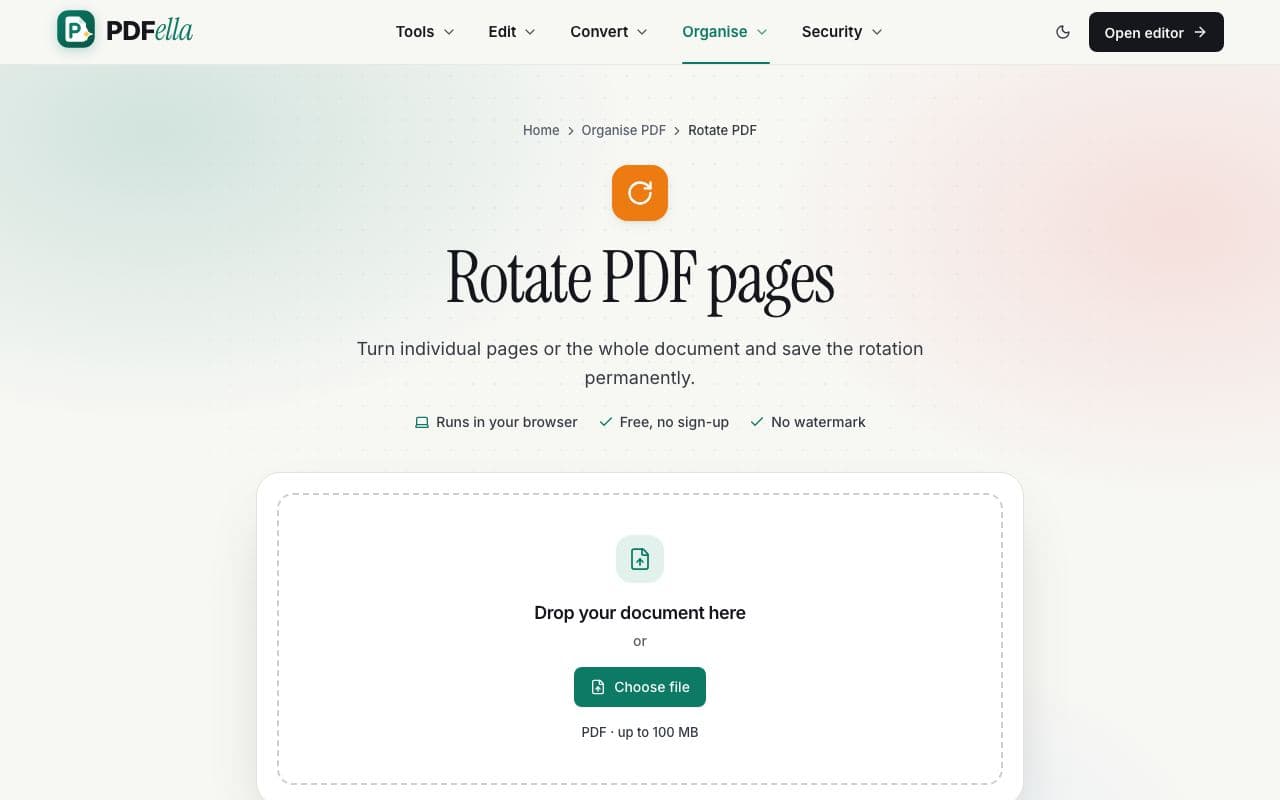
    Drag your PDF onto the upload area or click Choose file. It opens in your browser straight away. Nothing is uploaded to a server.

    How to rotate PDF pages: step 1, upload your pdf in PDFella
  2. 2

    Rotate pages

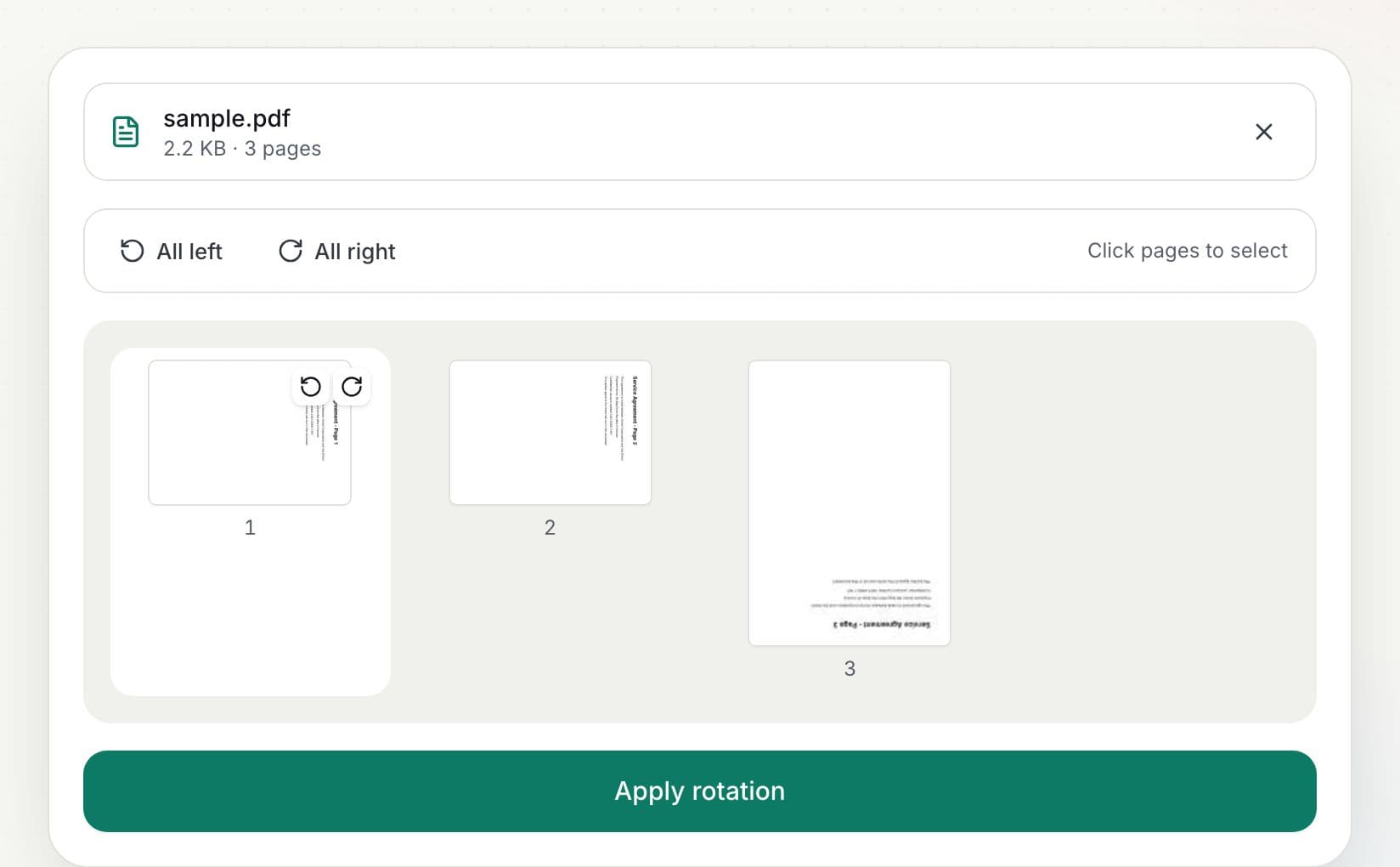
    Hover over a thumbnail and click the left or right arrow to rotate that page. To rotate everything, use All left or All right. Select several pages first to rotate just those.

    How to rotate PDF pages: step 2, rotate pages in PDFella
  3. 3

    Click Apply rotation

    The rotation is written into the PDF so it stays turned in every reader and when printed.

  4. 4

    Download the result

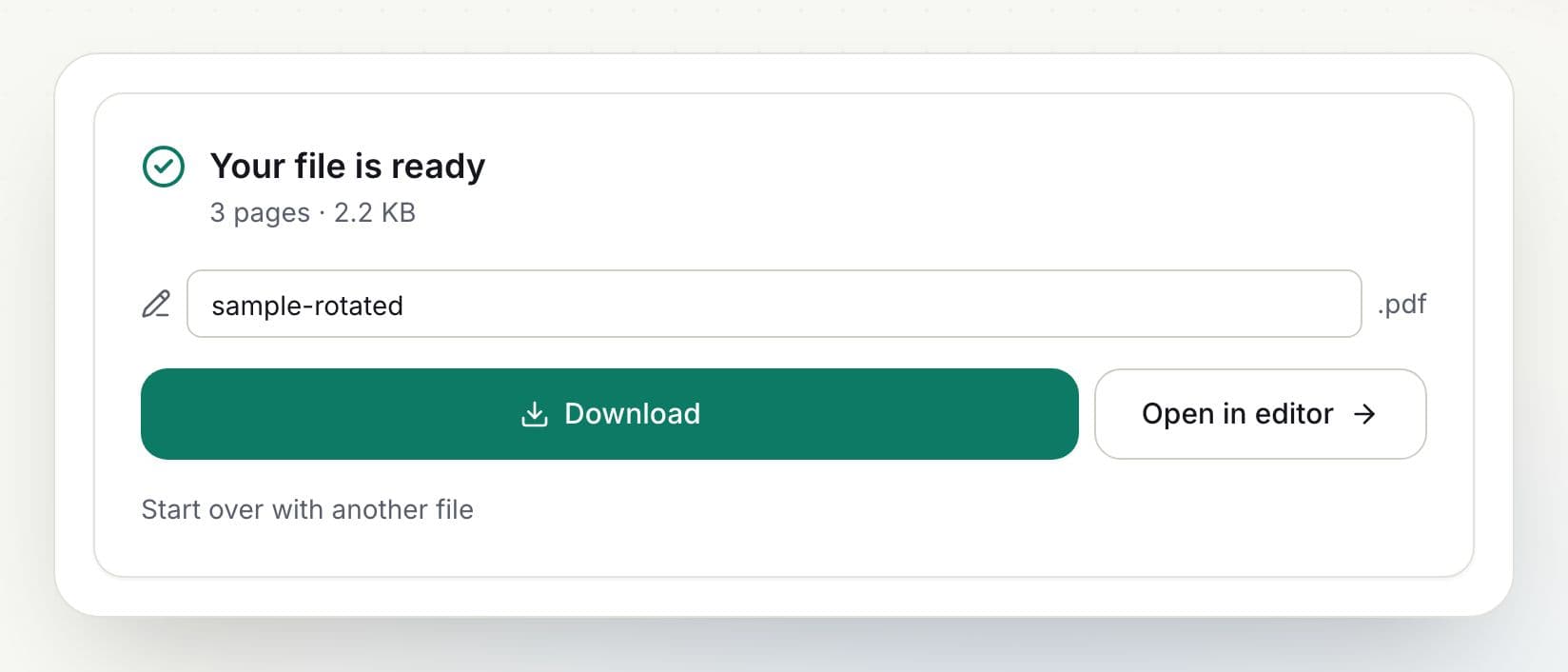
    Rename the file if you like and click Download. You can also open the result in the editor to keep working on it.

    How to rotate PDF pages: step 4, download the result in PDFella

Why PDFella

Rotate PDF, done right

  • Per-page control

    Rotate one page, a selection, or all pages.

  • Saved permanently

    Unlike a viewer's rotate button, the orientation is stored in the file.

  • Runs in your browser

    Your files never leave your device, which keeps confidential documents private and makes processing fast.

  • Free, no account

    No sign-up, no watermark and no daily limit for browser-based tools.

Why does my PDF open sideways?

Scanners and phone cameras often save pages with the wrong orientation. Viewing apps can rotate the view, but that change usually isn't saved. Rotating with this tool updates each page's rotation inside the PDF, so it's fixed for everyone who opens it.

Who uses Rotate PDF?

  • Anyone scanning

    Fix upside-down or sideways scanned pages.

  • Engineers

    Turn landscape drawings inside a portrait document.

  • Students

    Rotate photographed notes to read normally.

FAQ

Rotate PDF: frequently asked questions

Still stuck? Email support@pdfella.example.

How do I rotate a PDF and save it?

Rotate pages in Rotate PDF, click Apply rotation, then download. The rotation is saved in the file.

Can I rotate only one page?

Yes. Use the rotate arrows on that page's thumbnail.

Is my file uploaded?

No. Rotation happens in your browser.

Does rotating reduce quality?

No. Only the page orientation changes.

Is it free?

Yes, with no account.

Can I rotate pages inside the editor?

Yes. Select pages in the editor's page sidebar and use the rotate buttons.

Ready to rotate PDF pages?

Free, private and done in seconds. No account needed.

Start now