Skip to content

PDF to PNG converter

Lossless PNG images of every page, perfect for sharp text, diagrams and screenshots.

  • Runs in your browser
  • Free, no sign-up
  • No watermark

Quick answer

How to convert PDF to PNG?

To convert PDF to PNG, open PDFella's PDF to PNG converter, upload your PDF, choose a resolution and page range, and click Convert to PNG. Download a single PNG or a ZIP with one lossless PNG image per page.

Updated 5 October 2026 by the PDFella team

Key facts

Price
Free
Account
Not required
Processing
In your browser. Files aren't uploaded
Input
PDF
Output
PNG
Max file size
100 MB
Works on
Windows, macOS, Linux, iPhone, Android
Watermark
None

Step by step

How to convert PDF to PNG

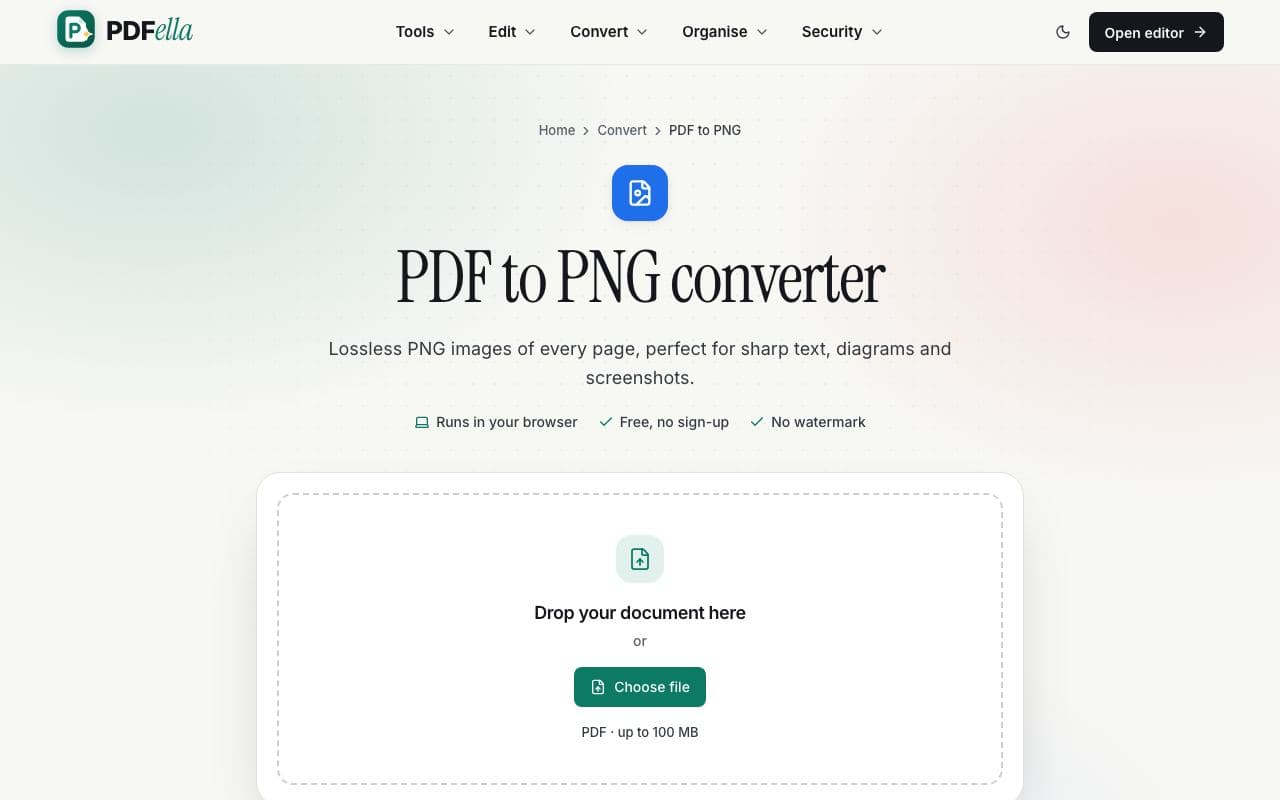
  1. 1

    Upload your PDF

    Drag your PDF onto the upload area or click Choose file. It's read in your browser. Nothing is uploaded.

    How to convert PDF to PNG: step 1, upload your pdf in PDFella
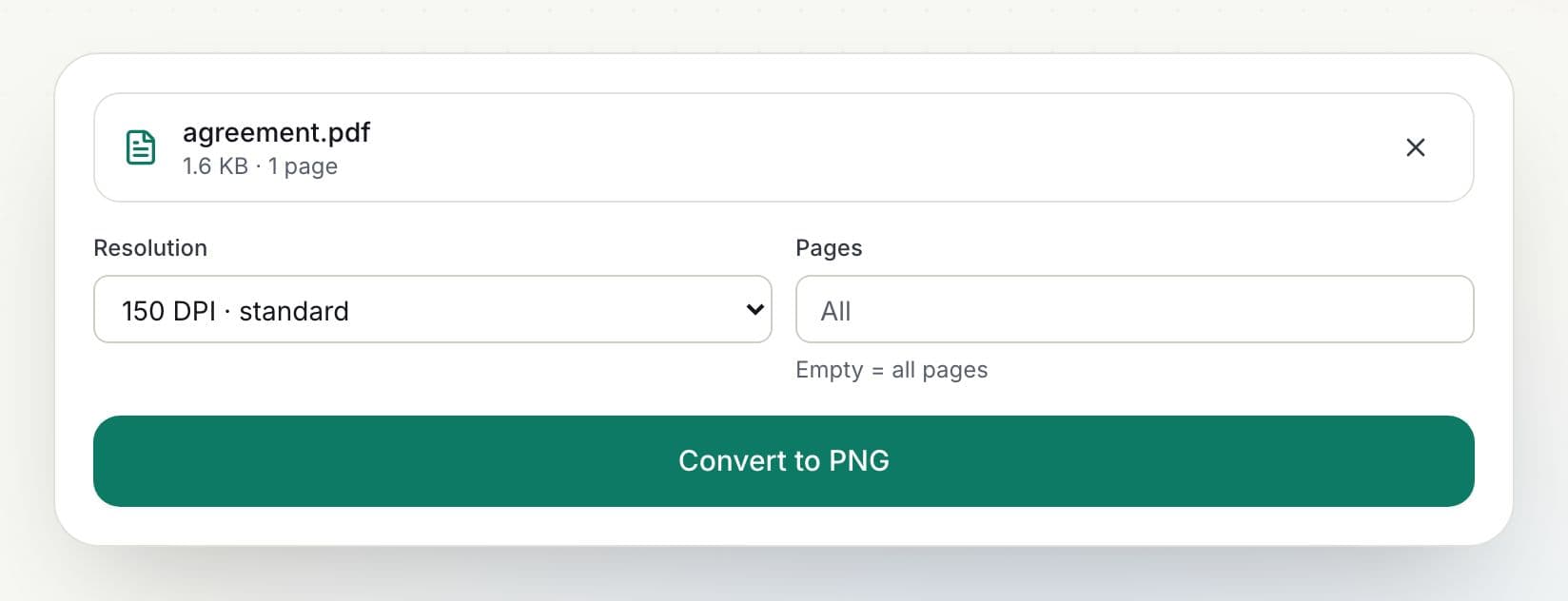
  2. 2

    Choose resolution and pages

    Pick a DPI from 72 to 300 and optionally a page range.

    How to convert PDF to PNG: step 2, choose resolution and pages in PDFella
  3. 3

    Click Convert to PNG

    Pages are rendered as lossless PNG images.

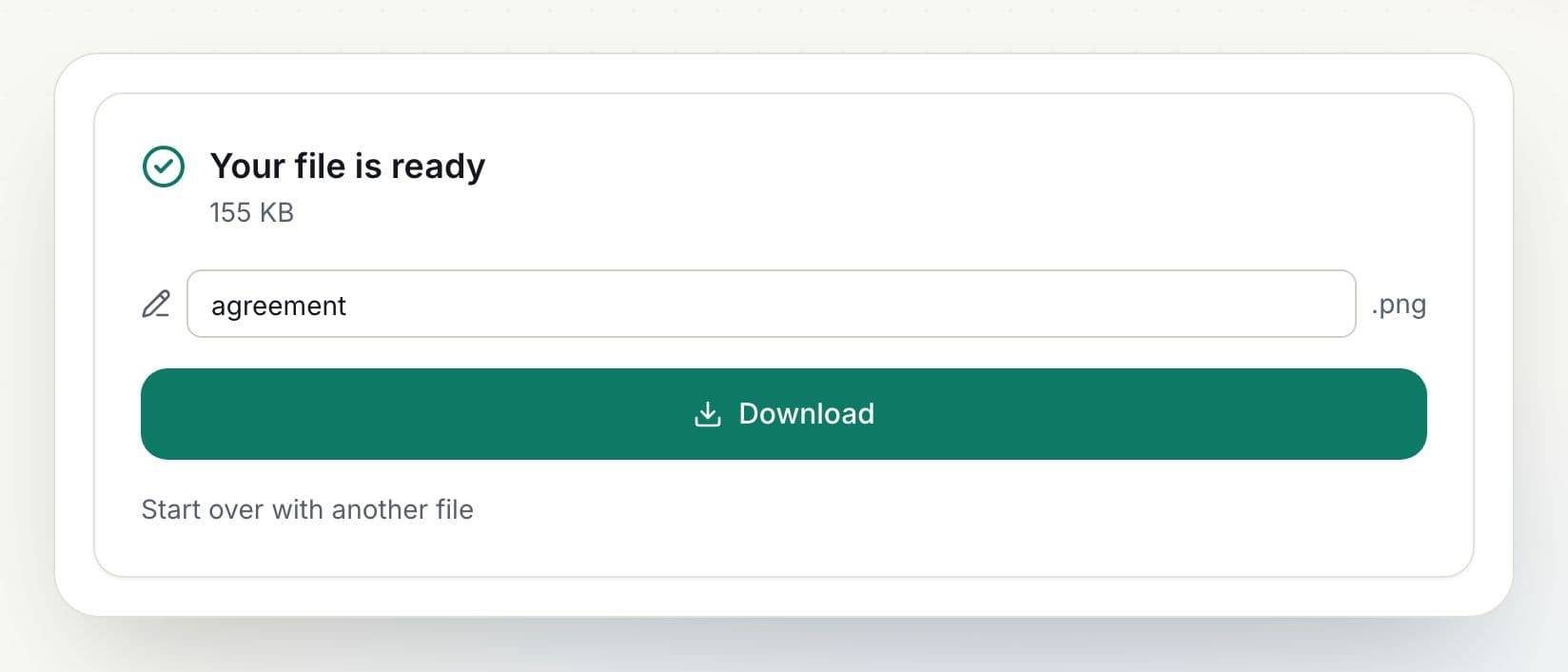
  4. 4

    Download your PNG images

    Rename the file if you like and click Download. The result is ready in seconds.

    How to convert PDF to PNG: step 4, download your png images in PDFella

Why PDFella

PDF to PNG, done right

  • Lossless quality

    No compression artefacts around text and lines.

  • Up to 300 DPI

    Sharp enough for print.

  • Converted in your browser

    Your file never leaves your device, so conversion is private and fast.

  • Free, no account

    No sign-up, no email and no watermark on the result.

When to choose PNG over JPG

PNG keeps every pixel exactly, so text, charts and line drawings stay crisp. JPG makes smaller files and suits photos. For scanned documents JPG is usually enough; for digital documents with text, PNG looks sharper.

Who uses PDF to PNG?

  • Designers

    Export artwork pages without quality loss.

  • Documentation writers

    Turn diagrams into images for wikis.

  • Teachers

    Use worksheet pages in slides and LMS posts.

FAQ

PDF to PNG: frequently asked questions

Still stuck? Email support@pdfella.example.

Is PDF to PNG lossless?

Yes. PNG is a lossless format, so pages are saved without compression artefacts.

Can I convert only one page?

Yes. Enter that page number in Pages.

Is my file uploaded?

No. Conversion runs in your browser.

Is it free?

Yes, with no account.

What background do the images have?

Pages are rendered on white, like a printed page.

How do I download many pages?

Multiple pages download as a ZIP.

Ready to convert PDF to PNG?

Free, private and done in seconds. No account needed.

Start now