Skip to content

Compress PDF: reduce file size

Make PDFs smaller for email and uploads while keeping text sharp and selectable.

  • Runs in your browser
  • Free, no sign-up
  • No watermark

Quick answer

How to compress a PDF?

To compress a PDF, open PDFella's Compress PDF tool, upload the file, choose Recommended, High compression or High quality, and click Compress PDF. The tool shows the original and new size, for example 8.4 MB → 2.1 MB, and the percentage saved. Then download.

Updated 5 October 2026 by the PDFella team

Key facts

Price
Free
Account
Not required
Processing
In your browser. Files aren't uploaded
Input
PDF
Output
PDF
Max file size
100 MB
Works on
Windows, macOS, Linux, iPhone, Android
Watermark
None

Step by step

How to compress a PDF

  1. 1

    Upload your PDF

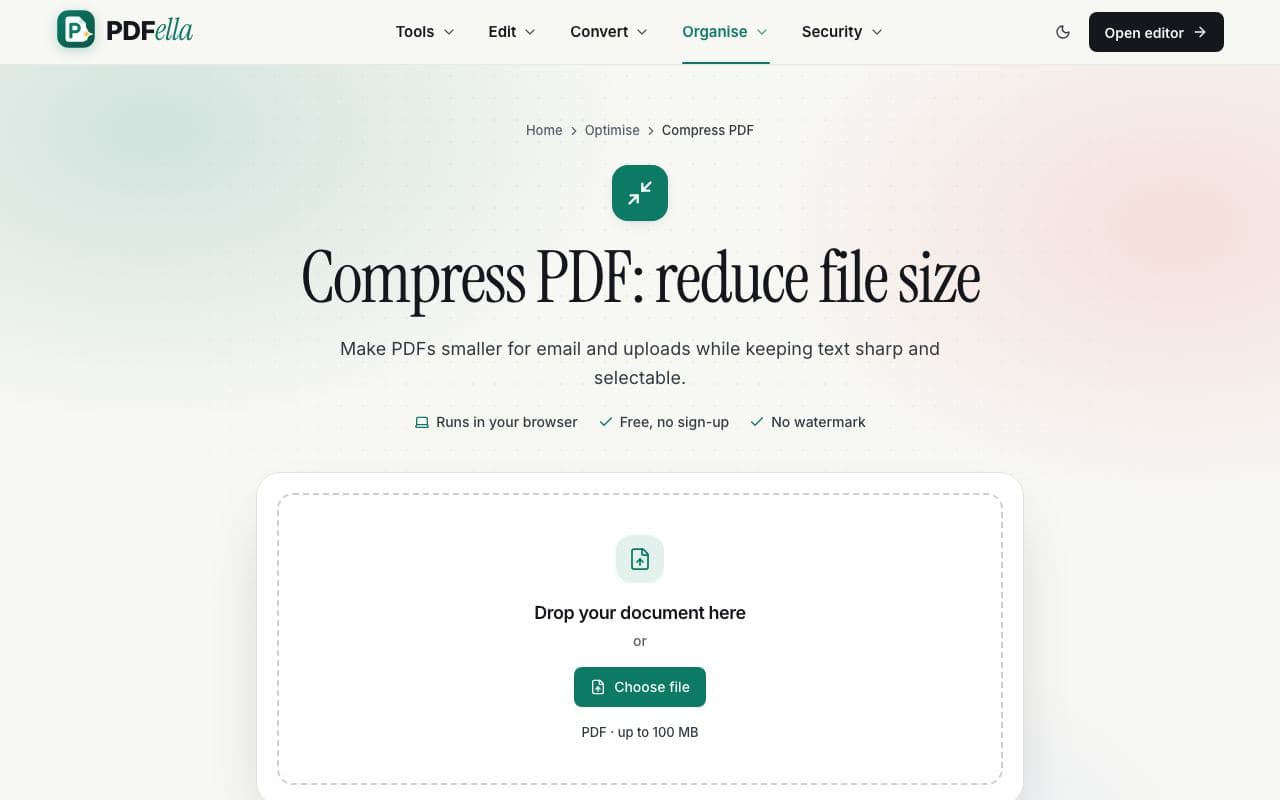
    Drag your PDF onto the upload area or click Choose file. It's opened in your browser. Nothing is uploaded.

    How to compress a PDF: step 1, upload your pdf in PDFella
  2. 2

    Choose a compression level

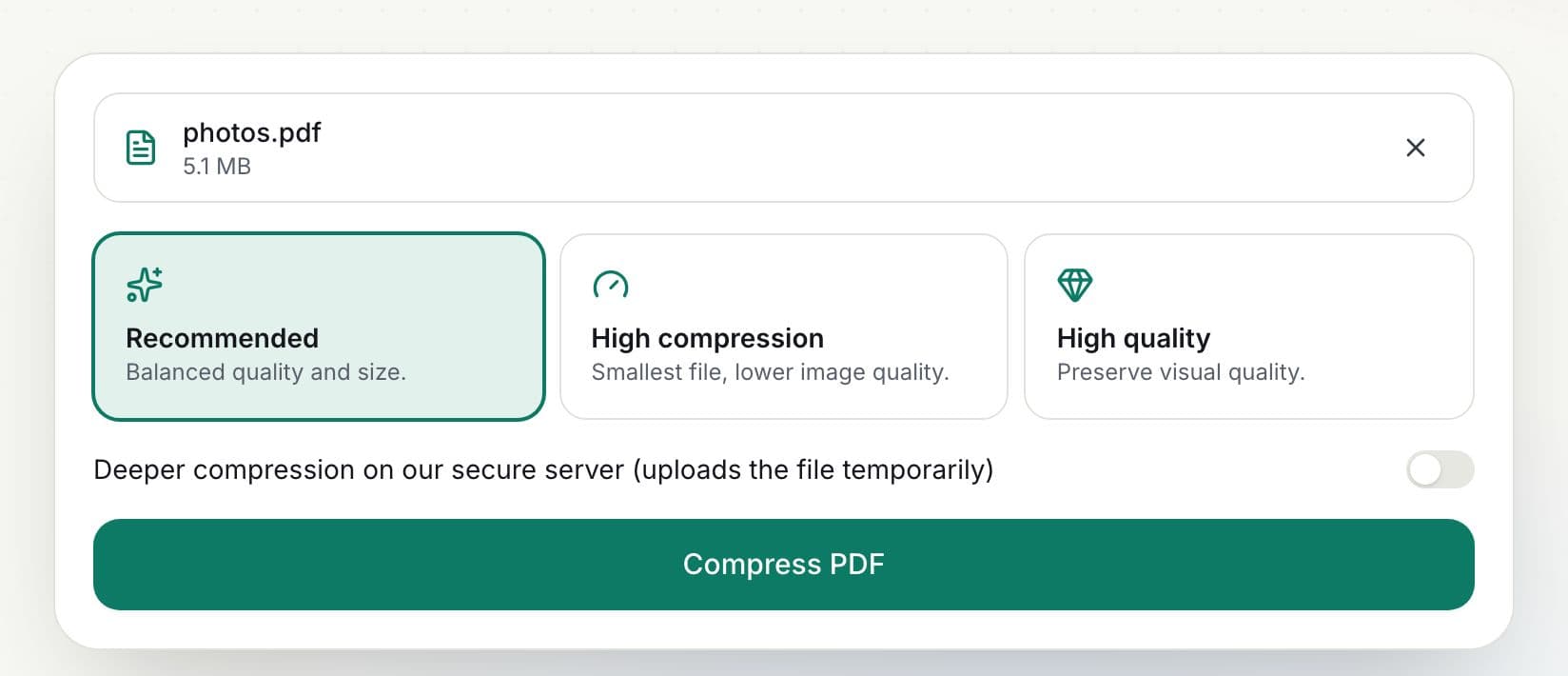
    Recommended balances quality and size. High compression makes the smallest file with lower image quality. High quality keeps images crisp.

    How to compress a PDF: step 2, choose a compression level in PDFella
  3. 3

    Click Compress PDF

    Images inside the PDF are re-encoded and resized and unused data is removed. Text and vector graphics are untouched, so they stay sharp.

  4. 4

    Check the saving and download

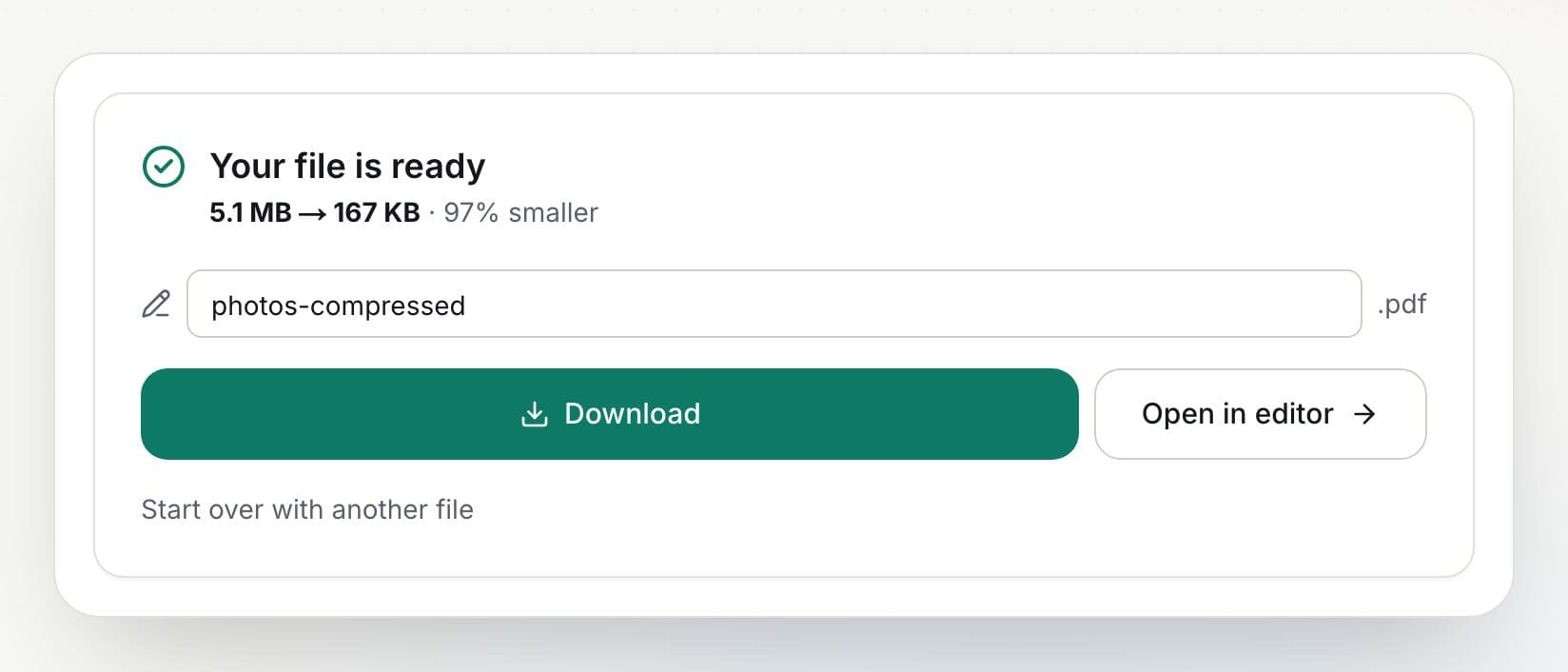
    The result shows the before and after size and the percentage saved. Click Download.

    How to compress a PDF: step 4, check the saving and download in PDFella

Why PDFella

Compress PDF, done right

  • Text stays sharp

    Only images are recompressed; text remains selectable and searchable.

  • Three presets

    Recommended, High compression and High quality.

  • See the saving

    Original size, new size and percentage saved.

  • Runs in your browser

    Your PDF never leaves your device.

How much can a PDF be compressed?

It depends on what's inside. Scans and photo-heavy PDFs usually shrink by 50–90% because images make up most of their size. Text-only PDFs are already compact and may only shrink slightly. If a file is already well optimised, PDFella tells you rather than producing a bigger file.

Compressing a PDF for email or upload limits

Many email services cap attachments at 20–25 MB and online forms often require files under 1–5 MB. Start with Recommended; if the file is still too large, try High compression. For very large scans, splitting the document can also help.

Who uses Compress PDF?

  • Applicants

    Get documents under online form upload limits.

  • Office workers

    Email large reports without bouncing.

  • Archivists

    Save storage on scanned archives.

FAQ

Compress PDF: frequently asked questions

Still stuck? Email support@pdfella.example.

How do I reduce a PDF's file size for free?

Upload the PDF to Compress PDF, choose a level and click Compress PDF. Download the smaller file. No account is needed.

Will compression reduce quality?

Text and vector graphics are unchanged. Images are recompressed; choose High quality if image detail matters.

How much smaller will my PDF be?

Image-heavy PDFs often shrink 50–90%. Text-only PDFs shrink less.

Is my PDF uploaded?

No. Compression runs in your browser by default.

Can I compress a PDF to under 1 MB?

Often, yes. Try High compression. Very long or image-heavy documents may need splitting too.

Is it free?

Yes, with no account and no watermark.

Ready to compress a PDF?

Free, private and done in seconds. No account needed.

Start now