Skip to content

Rearrange PDF pages

Drag page thumbnails into a new order, duplicate, rotate or delete pages and add blank ones.

  • Runs in your browser
  • Free, no sign-up
  • No watermark

Quick answer

How to rearrange pages in a PDF?

To rearrange PDF pages, open PDFella's Rearrange PDF Pages tool, upload the file and drag the page thumbnails into the order you want. Duplicate, rotate, delete or add blank pages as needed, then click Save new order and download the reorganised PDF.

Updated 5 October 2026 by the PDFella team

Key facts

Price
Free
Account
Not required
Processing
In your browser. Files aren't uploaded
Input
PDF
Output
PDF
Max file size
100 MB
Works on
Windows, macOS, Linux, iPhone, Android
Watermark
None

Step by step

How to rearrange pages in a PDF

  1. 1

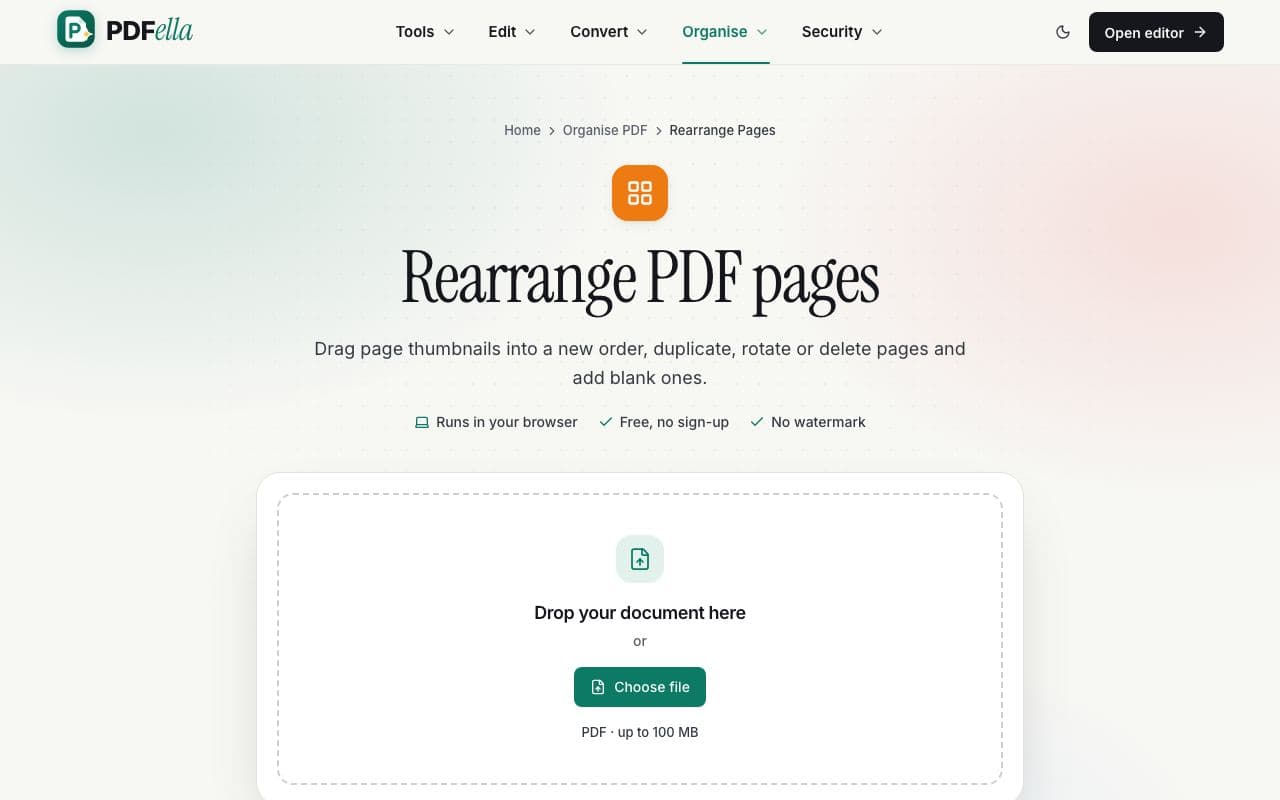
    Upload your PDF

    Drag your PDF onto the upload area or click Choose file. It opens in your browser straight away. Nothing is uploaded to a server.

    How to rearrange pages in a PDF: step 1, upload your pdf in PDFella
  2. 2

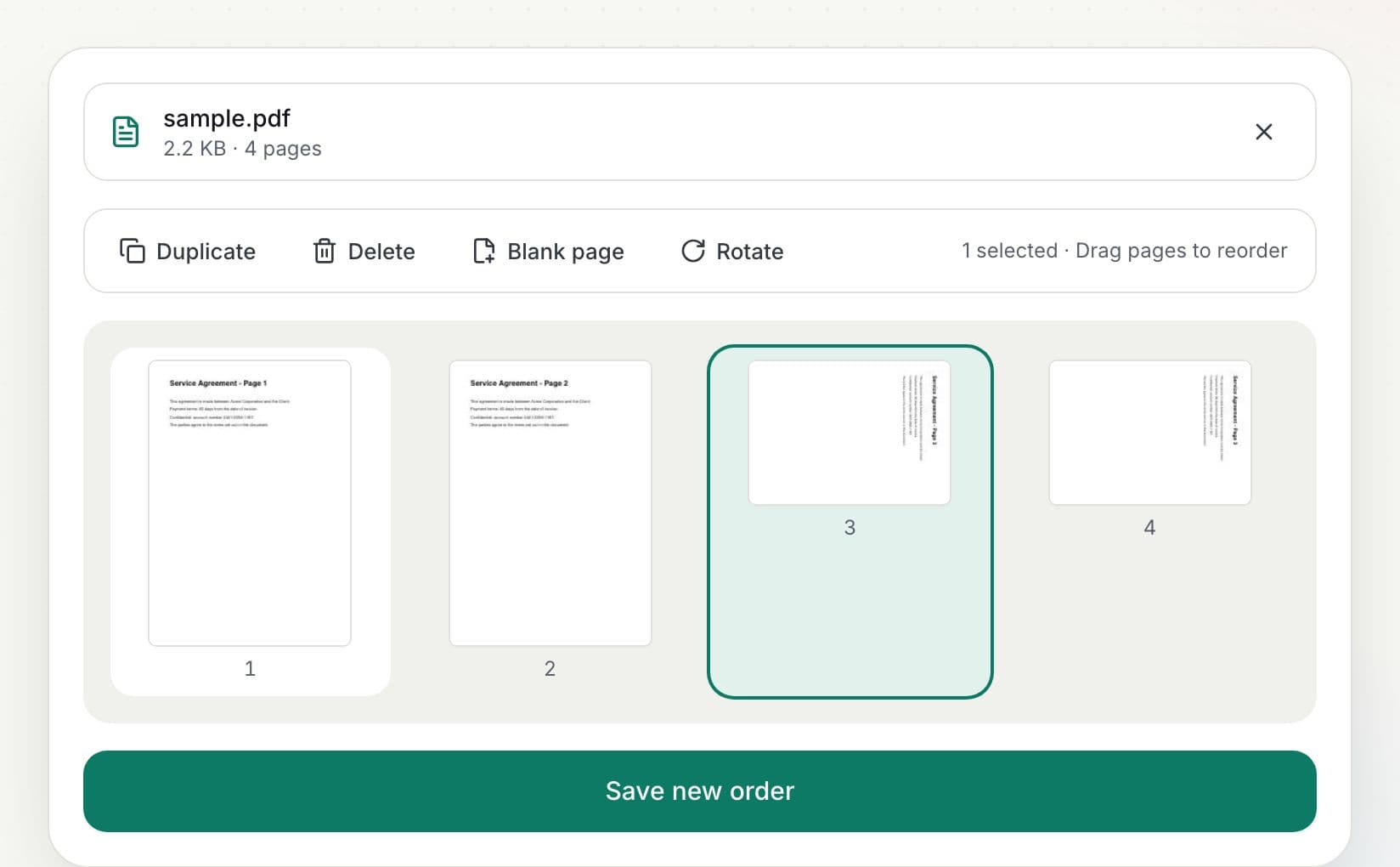
    Drag pages into order

    Every page appears as a thumbnail. Drag a page to its new position. With the keyboard, select a page and press Alt + ← / → to move it.

    How to rearrange pages in a PDF: step 2, drag pages into order in PDFella
  3. 3

    Tidy up

    Select pages to Duplicate, Delete or Rotate them, or add a Blank page at the end.

  4. 4

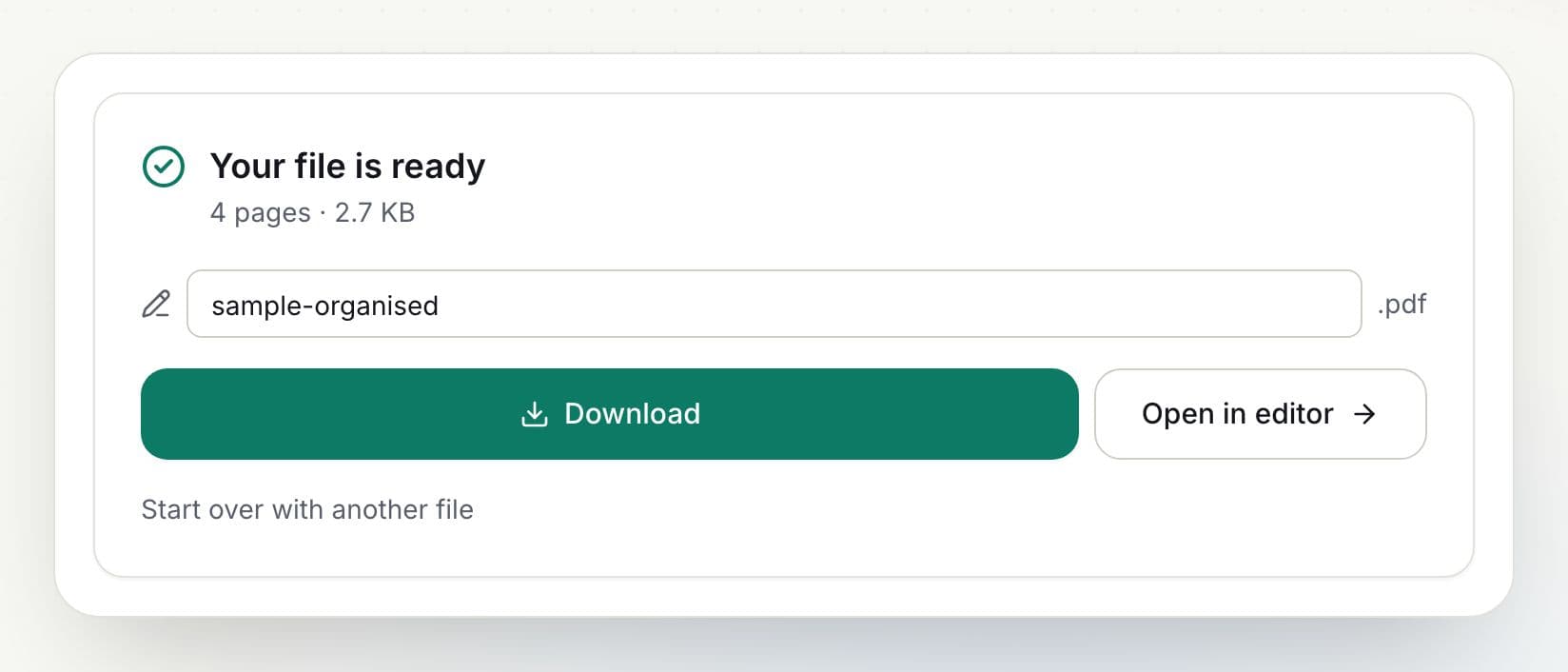
    Save new order and download

    Click Save new order, rename the file if you like, and download it.

    How to rearrange pages in a PDF: step 4, save new order and download in PDFella

Why PDFella

Rearrange Pages, done right

  • Drag and drop

    Visual thumbnails make it easy to see exactly what you're moving.

  • Duplicate & blank pages

    Copy pages or insert blanks for notes and printing.

  • Runs in your browser

    Your files never leave your device, which keeps confidential documents private and makes processing fast.

  • Keyboard accessible

    Move pages with Alt + arrow keys without a mouse.

Organising a PDF inside the editor

The editor has the same page tools in its left sidebar, so you can reorder pages and edit their content in one session. Use Add pages there to insert pages from another PDF or an image.

Who uses Rearrange Pages?

  • Office teams

    Put scanned pages back in the right order.

  • Publishers

    Reorder chapters before sending a proof.

  • Students

    Arrange lecture slides by topic.

FAQ

Rearrange Pages: frequently asked questions

Still stuck? Email support@pdfella.example.

How do I change the order of pages in a PDF?

Drag the page thumbnails into the order you want and click Save new order.

Can I duplicate a page?

Yes. Select it and click Duplicate.

Can I add a blank page?

Yes. Click Blank page to add one, then drag it into position.

Is my file uploaded?

No. Everything happens in your browser.

Is it free?

Yes, with no account.

Does it change the content of pages?

No. Pages are moved as they are, without recompression.

Ready to rearrange pages in a PDF?

Free, private and done in seconds. No account needed.

Start now