Skip to content

PDF to text

Extract all of a PDF's text into a plain .txt file, page by page.

  • Runs in your browser
  • Free, no sign-up
  • No watermark

Quick answer

How to extract text from a PDF?

To extract text from a PDF, open PDFella's PDF to Text tool, upload the PDF and click Extract text. The text of every page is saved in reading order to a plain .txt file with page separators, ready to download.

Updated 5 October 2026 by the PDFella team

Key facts

Price
Free
Account
Not required
Processing
In your browser. Files aren't uploaded
Input
PDF
Output
TXT
Max file size
100 MB
Works on
Windows, macOS, Linux, iPhone, Android
Watermark
None

Step by step

How to extract text from a PDF

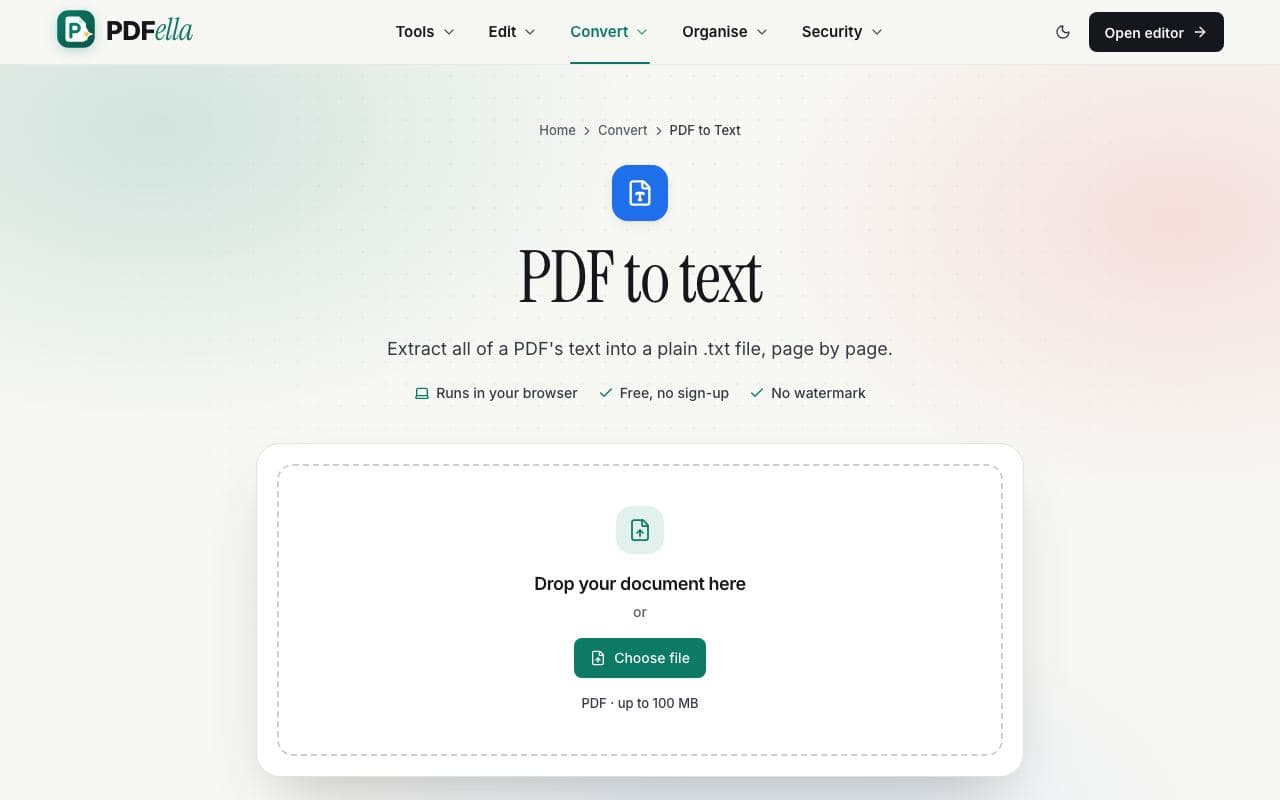
  1. 1

    Upload your PDF

    Drag your PDF onto the upload area or click Choose file. It's read in your browser. Nothing is uploaded.

    How to extract text from a PDF: step 1, upload your pdf in PDFella
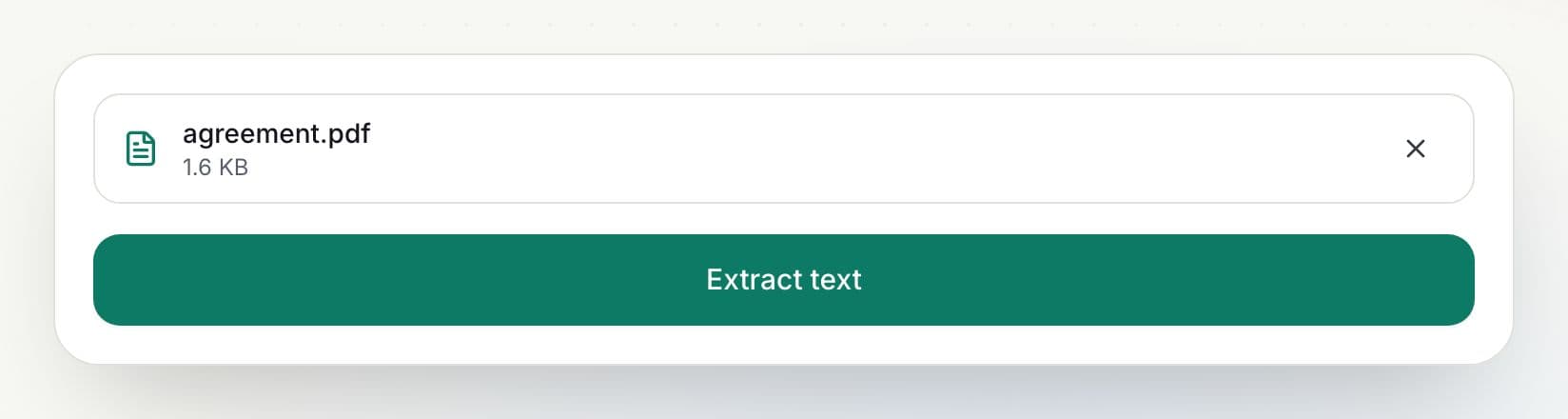
  2. 2

    Click Extract text

    Text is read from every page in reading order.

    How to extract text from a PDF: step 2, click extract text in PDFella
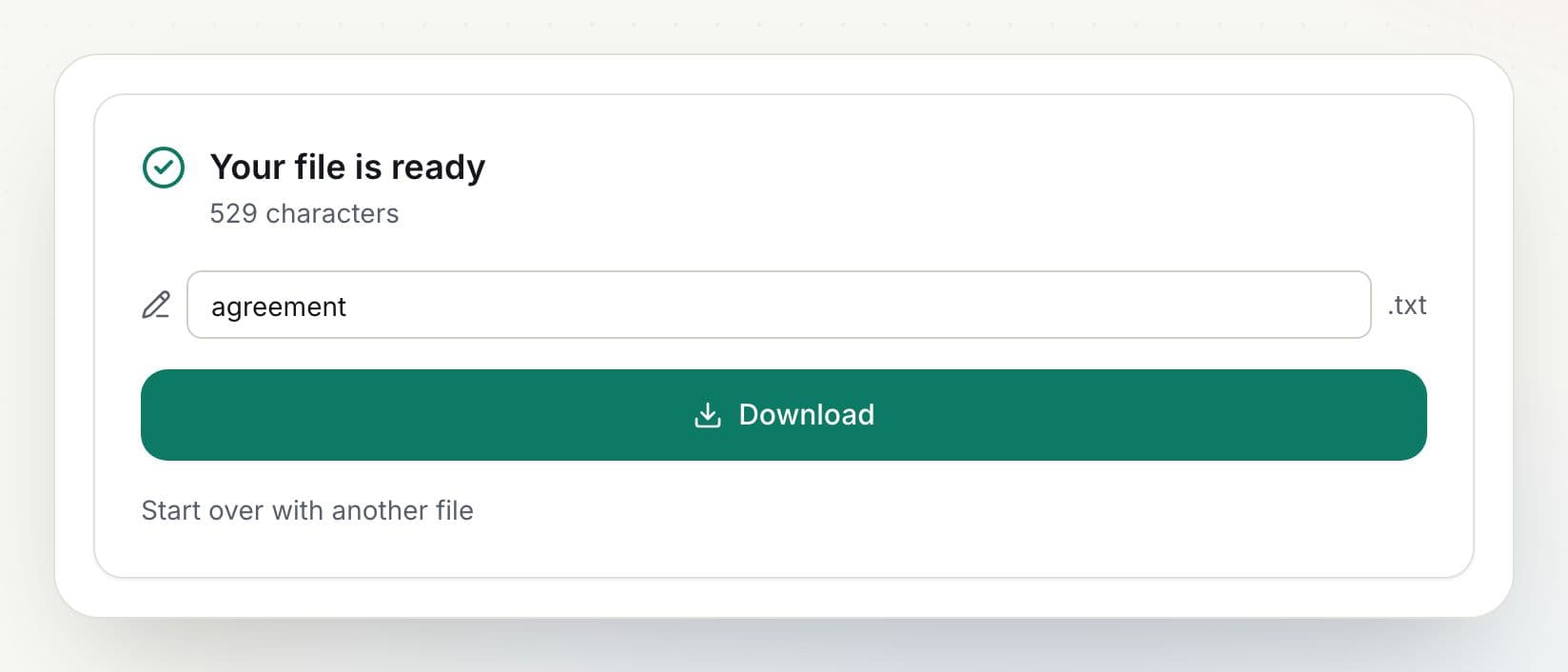
  3. 3

    Download your text file

    Rename the file if you like and click Download. The result is ready in seconds.

    How to extract text from a PDF: step 3, download your text file in PDFella

Why PDFella

PDF to Text, done right

  • Reading order

    Lines are kept in the order you'd read them.

  • Page separators

    Each page is clearly marked.

  • Converted in your browser

    Your file never leaves your device, so conversion is private and fast.

  • Free, no account

    No sign-up, no email and no watermark on the result.

No text found?

If the result is empty, your PDF is probably a scan, which means pictures of text. Run OCR PDF to recognise the text, then extract it.

Who uses PDF to Text?

  • Researchers

    Analyse document text in other tools.

  • Developers

    Feed PDF content into scripts and search.

  • Writers

    Quote passages without retyping.

FAQ

PDF to Text: frequently asked questions

Still stuck? Email support@pdfella.example.

How do I copy all text from a PDF?

Upload it to PDF to Text and click Extract text, then download the .txt file.

Why is my text file empty?

The PDF is probably scanned. Run OCR PDF first.

Is my file uploaded?

No. Extraction runs in your browser.

Is it free?

Yes, with no account.

Is formatting kept?

No. A .txt file is plain text. Use PDF to Word to keep formatting.

Which encoding is used?

UTF-8, so every language is supported.

Ready to extract text from a PDF?

Free, private and done in seconds. No account needed.

Start now