Skip to content

Sign PDF online, free

Type, draw or upload your signature, place it on any page, and download the signed PDF in seconds.

  • Runs in your browser
  • Free, no sign-up
  • No watermark

Quick answer

How to sign a PDF online?

To sign a PDF online, open it in PDFella, choose Sign in the tool bar, then type your name, draw your signature or upload an image of it. Click on the page to place it, resize it to fit, then click Save changes and Download PDF.

Updated 5 October 2026 by the PDFella team

Key facts

Price
Free
Account
Not required
Processing
In your browser. Files aren't uploaded
Input
PDF
Output
PDF
Max file size
100 MB
Works on
Windows, macOS, Linux, iPhone, Android
Watermark
None

Step by step

How to sign a PDF online

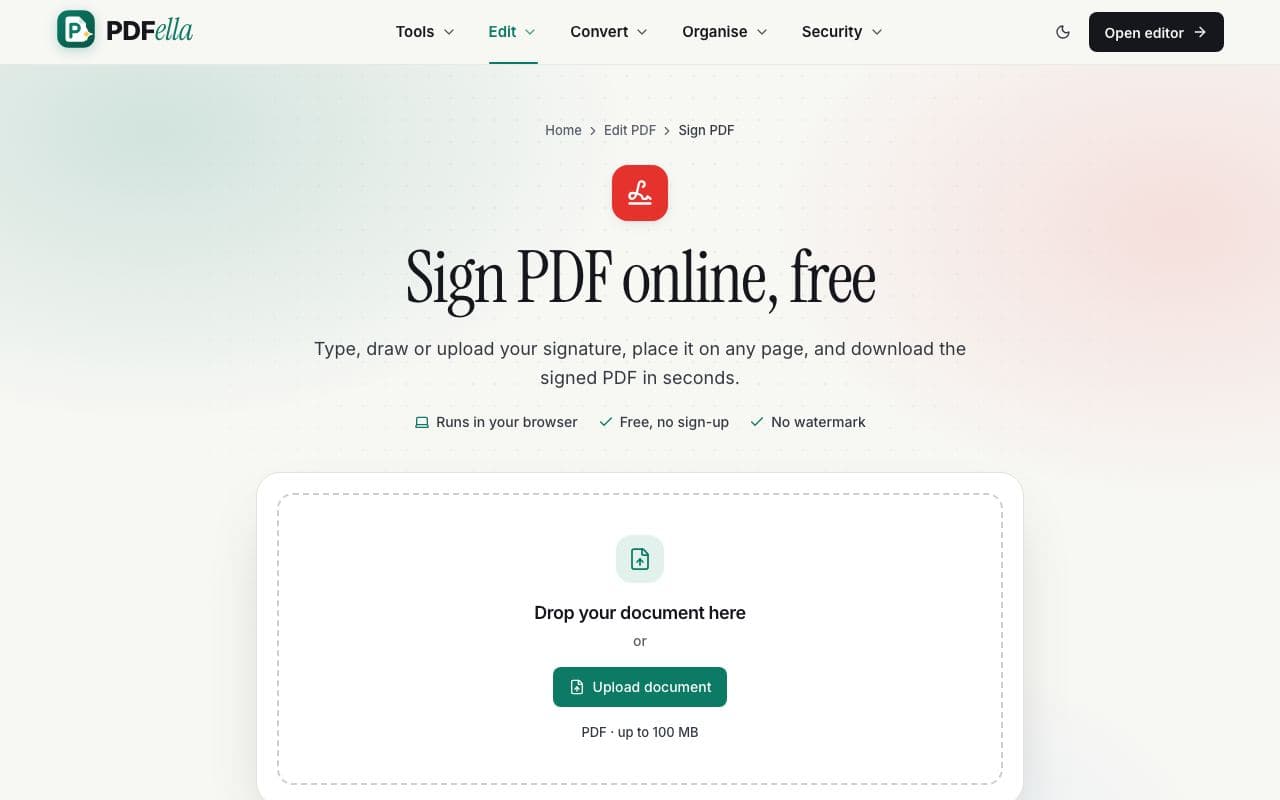
  1. 1

    Upload your PDF

    Drag your PDF onto the upload area, or click Upload document and choose it from your computer or phone. It opens instantly in the editor. No account and no installation needed.

    How to sign a PDF online: step 1, upload your pdf in PDFella
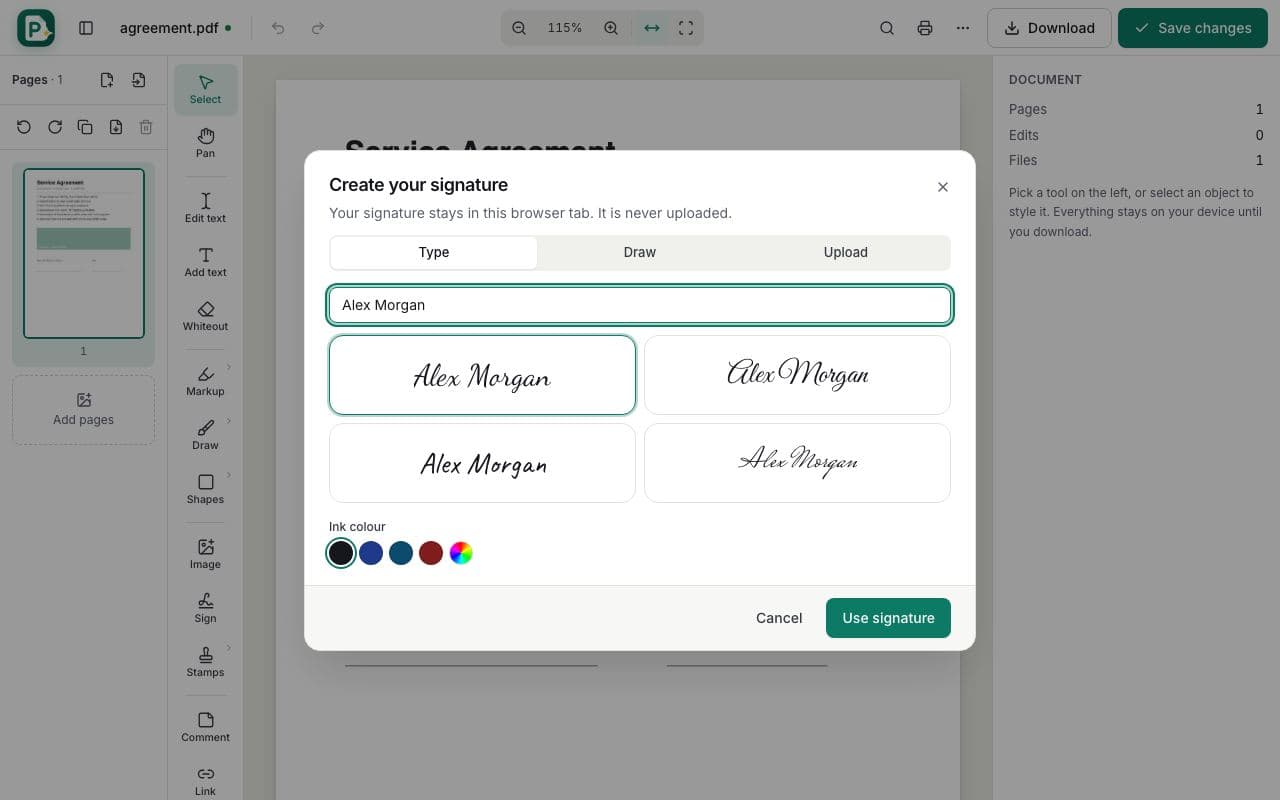
  2. 2

    Create your signature

    Click Sign (shortcut S). Type your name and choose a handwriting style, draw with your mouse, trackpad or finger, or upload a photo of your signature. The white background of uploaded signatures can be removed automatically.

    How to sign a PDF online: step 2, create your signature in PDFella
  3. 3

    Place and size it

    Click on the signature line to place it. Drag to move it, use the corners to resize, and add a date with Add text. Your signature is remembered for the rest of the session so you can sign other pages quickly.

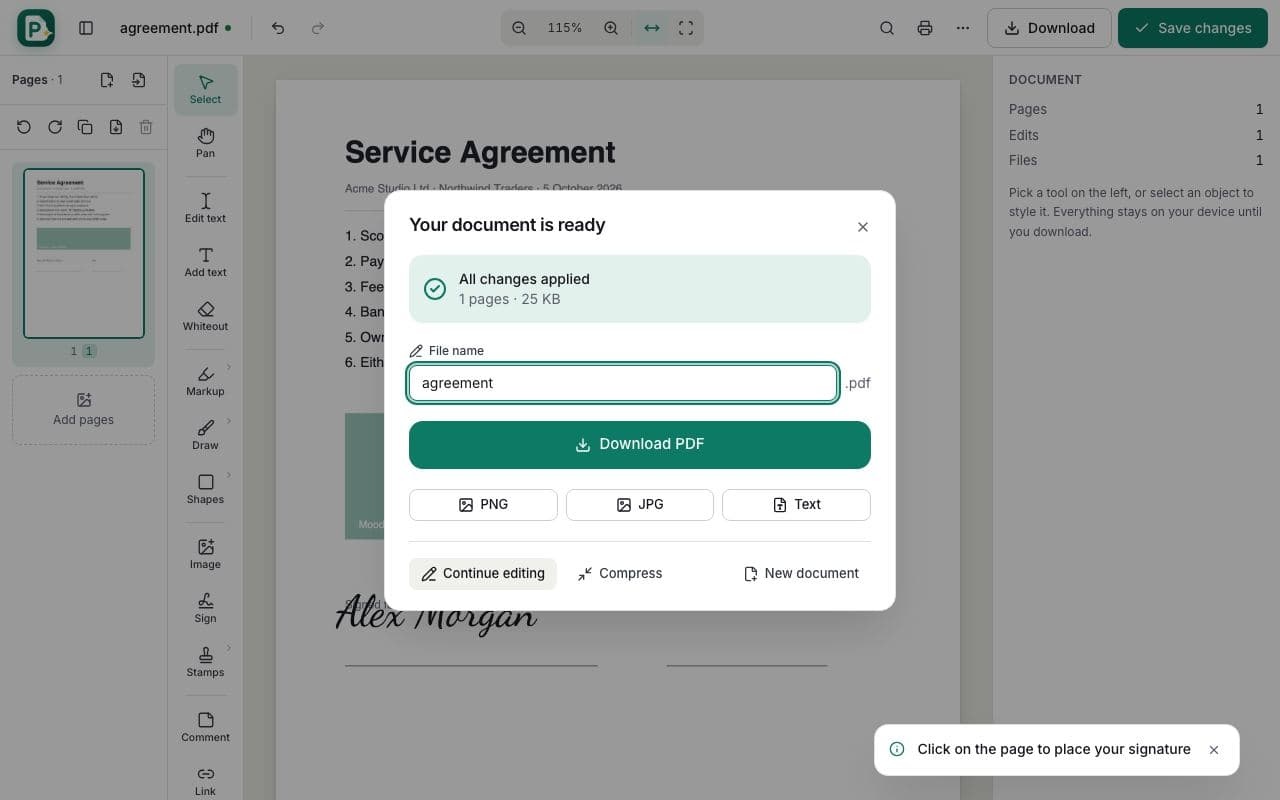
  4. 4

    Download the signed PDF

    Click Save changes, then Download PDF.

    How to sign a PDF online: step 4, download the signed pdf in PDFella

Why PDFella

Sign PDF, done right

  • Three ways to sign

    Typed in a handwriting font, drawn by hand, or uploaded from an image.

  • Never stored

    Signatures exist only in your browser tab and are never uploaded or saved.

  • Sign on any device

    Draw with your finger on a phone or a stylus on a tablet.

  • Add signature fields

    Create signature, date and initials fields for others with Create PDF Form.

Is an electronic signature legally binding?

In many countries, including under the US ESIGN Act and the EU eIDAS regulation, a simple electronic signature like an image of your signature placed on a document can be legally valid when all parties agree to sign electronically. Some documents, such as certain property, court or notarised documents, may require a qualified or witnessed signature. If in doubt, check the requirements for your document and country.

Signing a PDF on your phone

Open the PDF from your phone's browser, choose Sign and draw your signature with your finger. The tool bar sits at the bottom of the screen so it's easy to reach with one hand.

Who uses Sign PDF?

  • Freelancers

    Sign contracts and NDAs from clients without printing.

  • Tenants and landlords

    Sign rental agreements and inventories.

  • HR

    Sign offer letters and policy acknowledgements.

FAQ

Sign PDF: frequently asked questions

Still stuck? Email support@pdfella.example.

How do I sign a PDF for free?

Open the PDF in PDFella, choose Sign, type, draw or upload your signature, click to place it, then save and download. No account is needed.

Is my signature saved anywhere?

No. It's kept only in your current browser tab and is never uploaded or stored.

Can I sign a PDF on my phone?

Yes. Draw your signature with your finger in any mobile browser.

Can I add the date next to my signature?

Yes. Use Add text to type the date anywhere on the page.

Is an electronic signature legal?

Simple electronic signatures are accepted for many documents in many countries, but some documents need a qualified or witnessed signature. Check the requirements for your document.

Can I ask someone else to sign?

You can add signature and date fields with Create PDF Form and send them the PDF. They can sign in any PDF reader or with PDFella.

Ready to sign a PDF online?

Free, private and done in seconds. No account needed.

Start now